An antidote for a brainwash

These two statements in William Keegan’s article in today’s Observer have prompted me to flesh out this idea: “it should never be forgotten that the coalition inherited a burgeoning economic recovery in the summer of 2010 and proceeded to bring it to a halt with its misguided programme of austerity” and “ I think I heard the prime minister come out yet again on the wireless the other day with that pre-Keynesian howler – much in vogue with the German economic establishment – that when the private sector cuts back, it makes sense for the public sector to cut back too. On the contrary, it does not make sense, and was the reverse of what was needed after the depression which followed the financial crash of 2008-09”. I’m fed up with politicians, clerics, lobbyists and other people with an axe to grind, brainwashing us with stuff that I suspect they do not fully understand, or that they are twisting to their own ends, or, worse still, that they are simply lying about. I’d like to see these points tested in the media by sending them to the Telegraph, Times/Sunday Times, Financial Times, Guardian/Observer, and The Independent, and asking them to research the following aspects: a) was the quote an accurate record of the statement? b) was any additional meaning imparted by the context in which the statement was made? c) what evidence did the person making the statement base it on? d) what are the findings of the research that has been done on the subject e) what experiments/empirical tests have been performed to validate each main set of findings? e) what is the broad consensus of the professionals in the field concerned regarding each of the main sets of findings?

A first attempt at a Preservation Plan

Shortly after my last entry, I set about creating a Preservation Plan for my PAW-PERS collection of personal documents and mementos. I combined elements of Project Planning that I had experienced while working as an IT professional together with aspects of the preservation planning concepts already documented in the Scoping Document. The Project Plan consists of two documents – a Project Plan Description and a Project Plan Chart.

I sent drafts of these two documents to Chris Hilton, William Kilbride and Neil Beagrie asking for comments. Chris Hilton of the Wellcome Foundation very kindly sent me back his views just before Christmas – in summary, he thought the plans were thorough and that the decision to convert most documents to PDF or PDF/A was a good one. He also suggested keeping the original versions of any documents containing some processing components (such as spreadsheets) which may not be captured within the PDA format; and he endorsed keeping off-site copies.

Neil Beagrie put me in touch with Gabriela Redwine of Yale University who is doing work on Personal Digital Archiving for the DPC (Digital Preservation Coalition). She too provided a positive reaction to the Preservation Plan. So with these two endorsements I set about implementing the plan – the first part of which requires that those documents that need to be retained in their original form are identified; and that the remaining files are converted to PDF/A.

Unfortunately the rigours of Christmas and a subsequent call on my time to help my son and his wife do initial renovation work on their new house, have interrupted progress. However, even the little I have done so far has identified a number of issues: a) conversion of an htm document into a PDF document using my PDF package (eCopy PDF Pro Office) did not produce a good similarity. The most reliable rendition was achieved by copying the htm screen into a Word document and then turning that into a PDF; b) a 2010 article from Ohio State University alerts readers that Word 2007 only produces a so-called PDF/A-1b version which does not include tags and mark-ups and which is suitable for documents which are primarily image-based and do not have alternate text. The more complete PDF/A-1a version enables screen reader technology to correctly read the document to disabled persons; c) It seems that even if you have software that can convert to PDF/A format, it still only places the “PDF” extension at the end of the file name, thereby providing no explicit confirmation of whether the file has been converted successfully to PDF/A or whether a file is or is not PDF/A compliant.

An Update – This Work on Hold

This work has lain dormant for a little while now – but only because I’ve been focusing on other supporting activities. In particular, I’m exploring the field of Digital Preservation with the aim of undertaking work to ensure that the contents of my work document collection is long lasting. In the process of doing that I’m also trying to publicise the existence of the collection in order to find someone who might be interested in giving it a long term home. So, I don’t intend to any further work on Personal Document Management until I’ve finished the Digital Preservation investigation.

For the record, I did actually go and talk to Jenny Bunn’s Digital Curation students at UCL on 27Feb2014. I talked for about 20 minutes, provided a handout (the odd layout is because it is designed to be printed double sided), and there was some Q&A at the end. I also had an interesting conversation afterwards with Jenny. However, it prompted no further interest in the work document collection.

Finally, a word about Anne O’Brien of Loughborough University who I started collaborating with on this topic in early 2013. The last contact I had with her was in September of that year, and I had heard nothing more from her or about her until I read in the November 2014 issue of the Loughborough University Alumni magazine that she had died in May 2014. Tom Jackson of Loughborough’s Centre for Information Management where she worked, confirmed in an email that she had died of a heart attack and that her death had come as a huge shock.  I’d like to record here that, in our brief collaboration, Ann was very helpful to me and gave me a number of substantial steers which moved the work I was doing forward both in terms of content and contacts.

PDF/A

Since creating the test Scoping template in July, I’ve been trying to find someone to give me feedback on it – but with no success yet. Consequently, I have decided that I must press on with or without feedback. To that end, today I researched PDF/A  on the net and discovered that it is a standard which specifies certain features which will make PDF/A files more independent and self-contained and therefore more likely to be readable in the future. This is clearly a better format than ordinary PDF to store files in for the long term. Apparently, a more recent version of my PDF software (eCopy PDF Pro Office from Nuance) does support PDF/A and is available as a free download. I plan to obtain the upgrade, check out its PDF/A capabilities and then, armed with that knowledge, I shall follow up the Scoping document previously created for the Mementos collection with a Preservation Plan document.

Final Observations and Frame Works

After spending 6 weeks with the four different sizes of bookshelf posters on my wall (40×30 in – full size, 30×20 , 18×12, 15×10), last week I came to these conclusions:

  • While the full size version is easiest to see and read, the next size down – 30×20 in – is still perfectly usable;
  • Even the two smallest sizes provide sufficient detail to be able to distinguish between books and to find them in the iPad.
  • Hanging the posters vertically so it appears as if the books are stacked one on top of the other doesn’t present a problem – in fact it makes it easier to read the book titles; however it might be better to remove the edge of the shelf running vertically down the poster and perhaps replacing it with a shelf at the bottom of the stack.
  • As with ordinary books, its more convenient to view the bookshelf posters at head height; and it’s interesting to anticipate that a system displaying digital versions of the posters would enable shelves to be switched to the preferred height at will.
  • The posters can be presented together in different combinations and arrangements, for example, the poster of a particular shelf can be horizontal or vertical and can be placed at the top or bottom of a group of posters. This would be easy to replicate in a system managing digital versions of the bookshelves
  •  Like the posters, digital versions of the bookshelves could be duplicated and displayed in other rooms or locations.

With these points in mind I decided to put the four different sets of posters to the following uses:

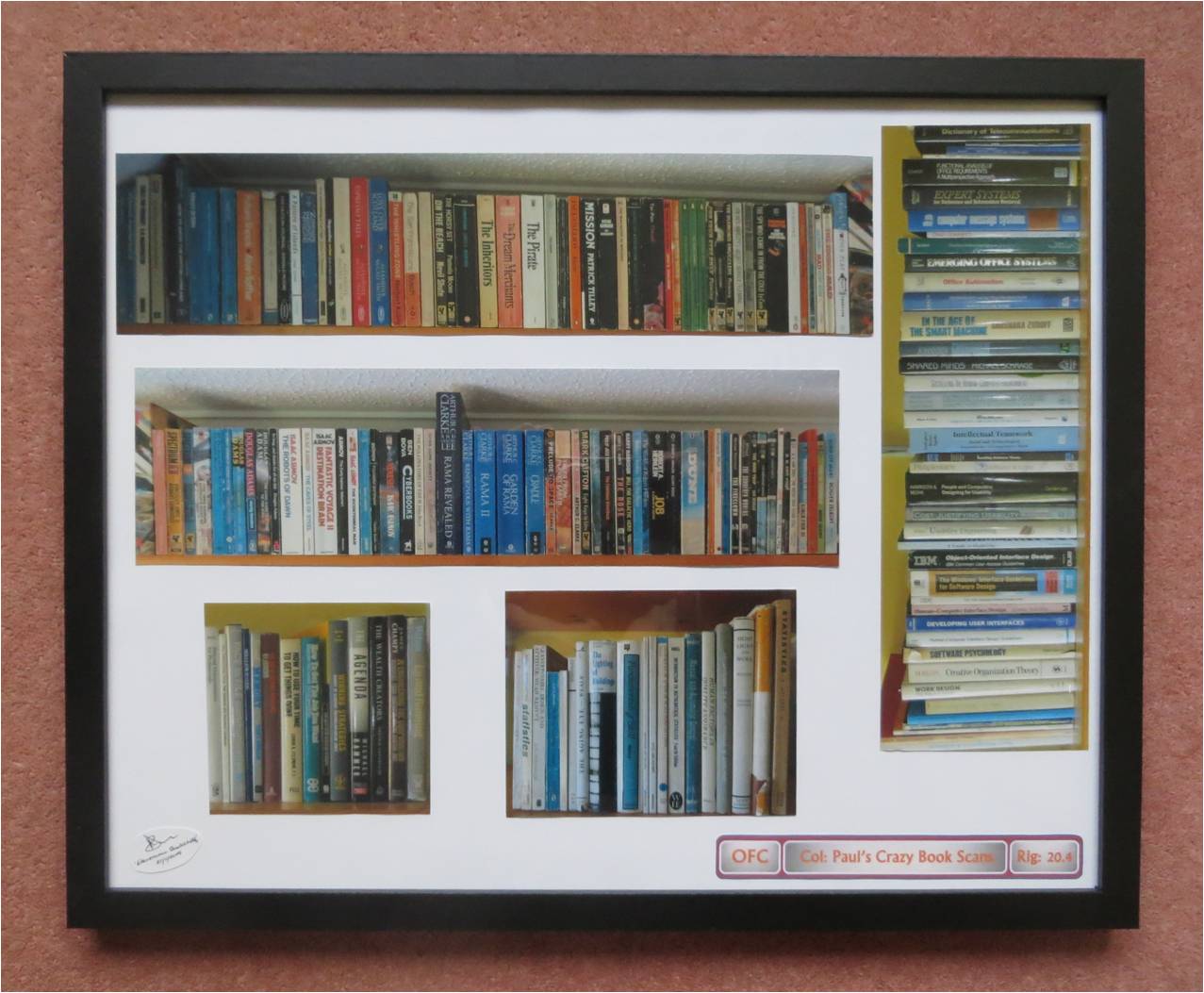
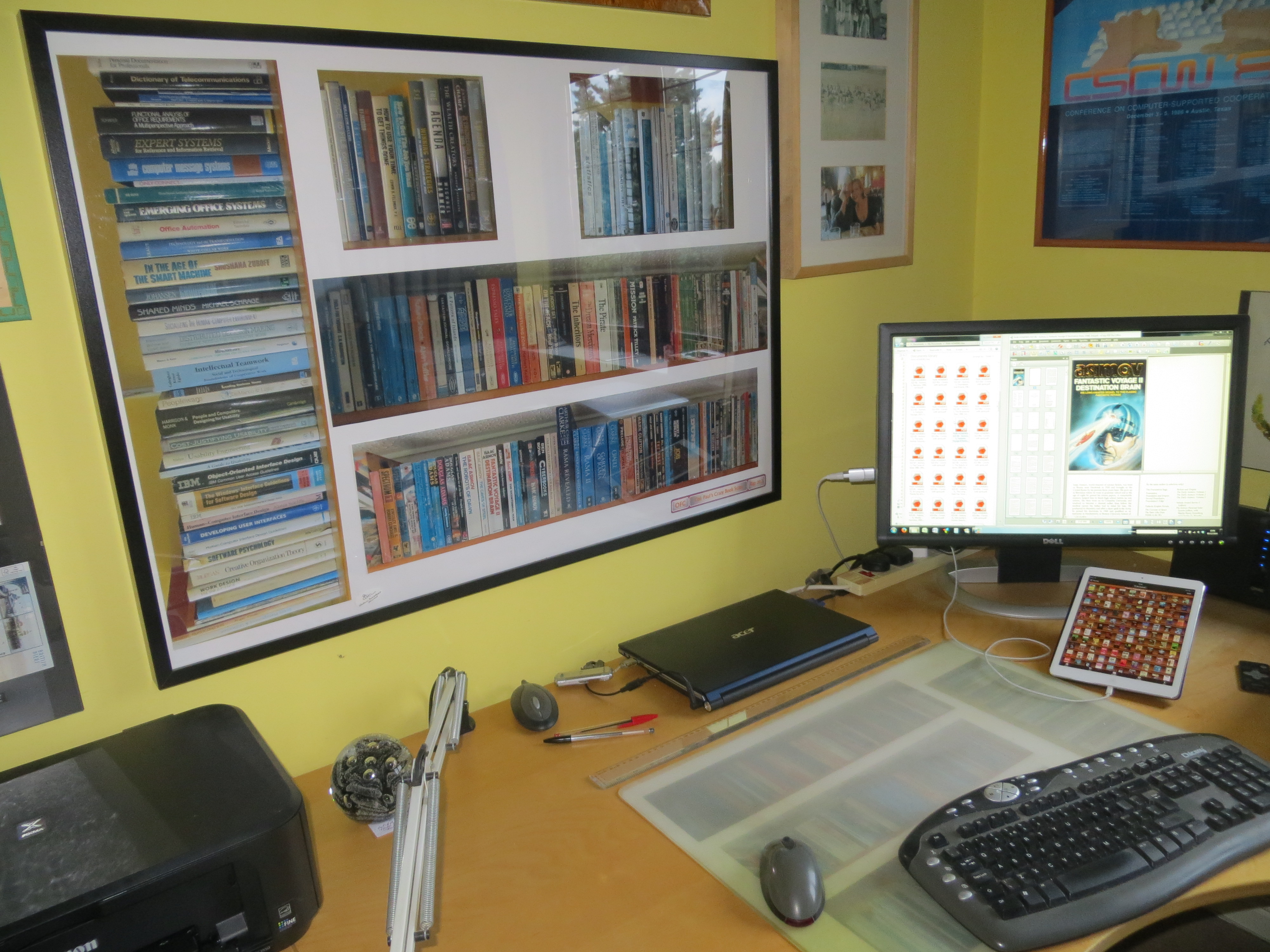
  • The second biggest size posters have become my permanent visible images of the books I have scanned and which I no longer have physical copies of. They are arranged in a 40 x 30 in IKEA RIBBA frame which is on my study wall directly ahead of me as I sit at my desk. Being able to use the smaller-than-full-size posters has made it much more feasible to do this – the full size posters would have taken up too much of the wall space. I now have a much more constantly visible view of the spines than I ever had before when they were on bookshelves behind my desk amongst a lot of other material.
  • The third biggest size posters have now been arranged on a sheet of white paper and placed underneath the plastic desk pad on which my keyboard and mouse sit and on which I write longhand on occasion. This provides an unobtrusive decoration and demonstrates the reproducibility of the electronic bookshelf. The picture below shows the framed electronic bookshelf posters, the version under the desk mat, the book PDF files and an opened file on the adjacent computer screen, and the iPad showing thumbnails of the same PDF files.
    IMG_3622
  • The smallest size posters have been arranged in a 20 x 16in Wilko frame (see below) and given to my son and his wife as a housewarming present for the library area of their new house (not sure how much they will enjoy this but it had to go somewhere…!).
    Elec Bookshelf Picture Small
  • The largest, full size posters have been stored at the back of a large picture frame that I have in my study (see Poster Management journey) in case I should want to use them in future.

In assembling the sets of posters as described above, I took the opportunity to vary the way the individual posters were displayed and to think about how they might appear on a large scale display or roll of electronic paper. Given that many arrangements are possible I included a tag line at the bottom of each one to identify the title of the collection (‘Col’) and the particular arrangement of that collection (‘Rig’). An example is shown below:

Col and Rig example

There is undoubtedly some synergy between some of the points that have emerged from this electronic bookshelf exercise and in the way that mementos might be displayed, and I intend to think about these when I start the next phase of the Memento Management work described elsewhere in this site. In the meantime, however, my current exploration of the Electronic Bookshelf has come to an end. Perhaps when electronic paper becomes sufficiently cheap, and when an App is available to create, manipulate and arrange the images of book spines and covers, I’ll attempt to replace my framed poster version with the real thing.

Done and Digitised – 1980-2011 !

I’ve just finished digitising the third tranche of my mementos – the material we have kept in separate pocket folders for each year since we got married in 1980. This was an even bigger job than the two previous tranches (one for work related materials, and the other for my own mementos from 1958 – 1979), since it involved so much material of such a diverse nature. The end result is 575 index entries, and 611 electronic files taking up 2.5Gb of storage. About 220 physical items were retained in either 40-Pocket Presentation Folders, Clear Foolscap Plastic Wallets, or a Display Cabinet.

Overall the whole exercise has taken about six weeks of at least a couple of hours work every day – often a lot more. The most time-consuming part of the exercise was the initial sorting and organisation of the material.  Scanning the items was relatively quick – though some couldn’t be scanned and had to be photographed and this added time to the process. I photographed three types of items: a) all the Birthday/Anniversary/Easter cards etc. that we had kept – these were photographed as groups – first the fronts and then the insides with the writing on – rather than scanning each one individually; b) large formats such as magazines, newspaper articles and some theatre programmes that were simply too big to fit on the scanner; and c) 3D physical objects such as a winners medal.

I attempted to identify the set of index terms (facets) as I went along, but inevitably requirements for new terms identified half way through affected the allocations made earlier. I also attempted to store the physical artefacts in a coherent way as I went along, but this too is difficult to finalise until the end of the process when you can see the full extent of the amount and type of material to be dealt with. To have any hope of keeping things under control it’s necessary to decide on an initial ordering criteria, such as date, and then to leave plenty of spaces to enable additional items that are encountered later on in the exercise to be slotted in. I failed to do that sufficiently well in this exercise and consequently now have most of the material in reasonable order but also a substantial number of items stored separately which need to be interleaved with the main set.

I’ve stored all the digitised items as PDF files for three reasons: a) PDF enables you to collect up several related individual scans or photographed images so that they can be accessed as a coherent set of items; b) The SideBooks App which I am using to display the items on my iPad, will only accept PDFs, ZIP, CBZ, RAR and CBR formats; c) There seems to be some consensus that PDFs are a good ‘data preservation’ format for enabling files to be read in the long term.

As with my work and pre-marriage mementos, I’ve loaded this new set into the SideBooks App on my iPad. I continue to be impressed at how easy that process is – just a matter of copying the files you want to move and pasting them into Dropbox. I tended to copy over groups of ten or twenty files at a time which take only a few seconds each to load into Dropbox.  After that, the Dropbox  page in Sidebooks can be opened and a tap on the file concerned starts the downloading process. A few seconds later it’s all done, and the first page of the PDF file is displayed as a thumbnail. I feel it is a startlingly effective way of bringing material to life that has been trapped in files and boxes. Since this set of items is as much my wife’s as mine, she too has the set of items in SideBooks on her iPad, so it will be very interesting to see if she feels the same way after she’s used it for a while.
Miniature representations

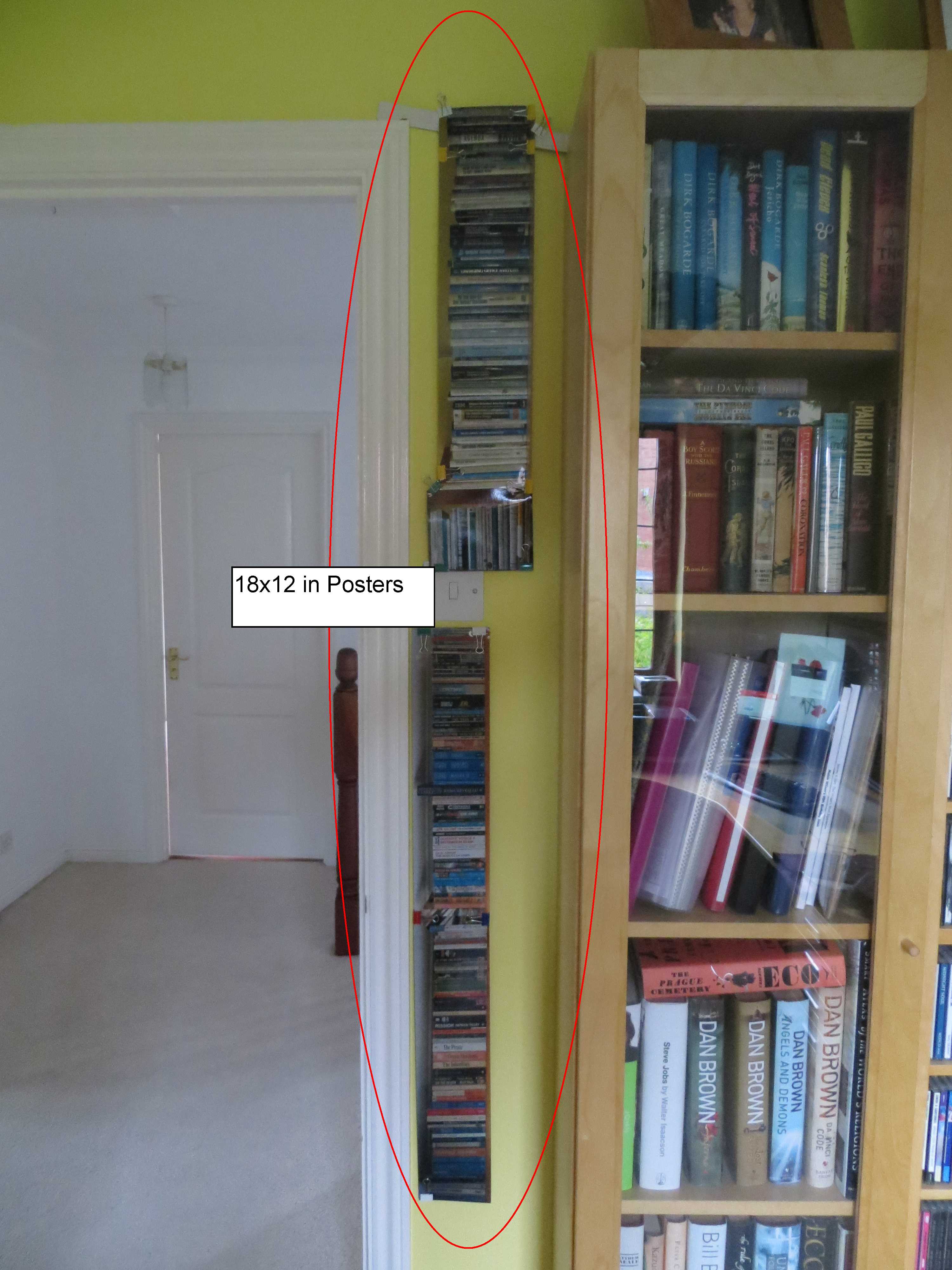
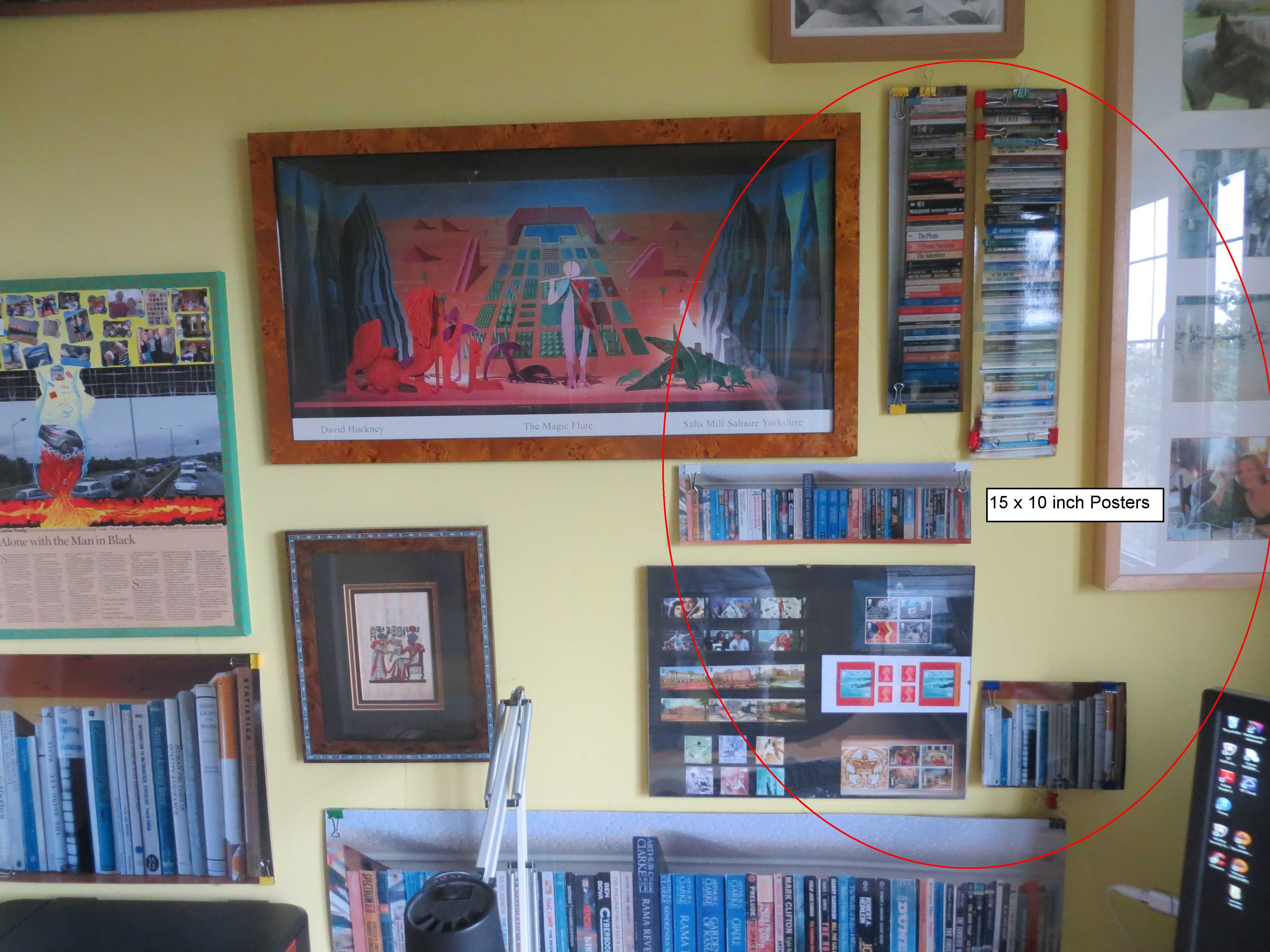
In the last post but one, I described how it was pleasing to have full size poster replicas (40×30 inches) of the shelves of books I have scanned, in easy to see positions on the wall in front of my desk. Since then I have begun to wonder just how small these poster replicas could be to provide the same experience. Therefore, as a final phase in this journey, I’ve had the poster set reprinted in three smaller sizes (30x 20 in, 18 x 12 in, 15×10 in) and positioned them in the remaining wall space in my study as shown in the pictures below. Over the next couple of weeks I’ll mull over how the different sizes compare and try to come up with a view as to whether a miniature representation can provide a similar experience to that provided by a full size representation.

30 x 20 in poster18 x 12 in postersSmallest size posters 15x10

Virtual Display —> Full Text Integration

The original aim of this investigation was to display virtual images of books on a wall and to be able to call up the full text of any one of them to read. The two ends of this objective – display of a virtual bookshelf, and the ability to read the full text of any of the books – have been achieved. However, the integration of the two ends is, as yet, a manual process requiring the user to choose a title from the virtual display, to open up the iPad SideBooks application, and to find and open the required title.

I’ve briefly thought about a variety of ways that this process might be automated. The original notion was to use e-Paper and to be able to touch the image of a book spine to bring up the full text on a separate screen. In the absence of e-Paper, I toyed with the notion of using Image recognition via an iPhone App, but I couldn’t find an App that would use the text recognised to open up another application. I then started thinking about voice recognition and tried out the Apple Siri voice recognition facility on the iPad. Frustratingly, although it will very effectively open up the Sidebooks application just by the user saying “SideBooks”, Siri is not yet able to search for and open up files within applications. This was confirmed to me by an Apple Chat  support person – though he did advise me that I should inform Apple of my requirement via a Feedback form, which I duly did.

That’s as far as I’ve got. Voice recognition does seem to be the most promising approach – and I guess it’s quite possible that Apple may enhance Siri to call up files, sometime in the future. In the meantime, I expect I’ll be able to just about get by in manual mode!

Displaying the virtual bookshelf

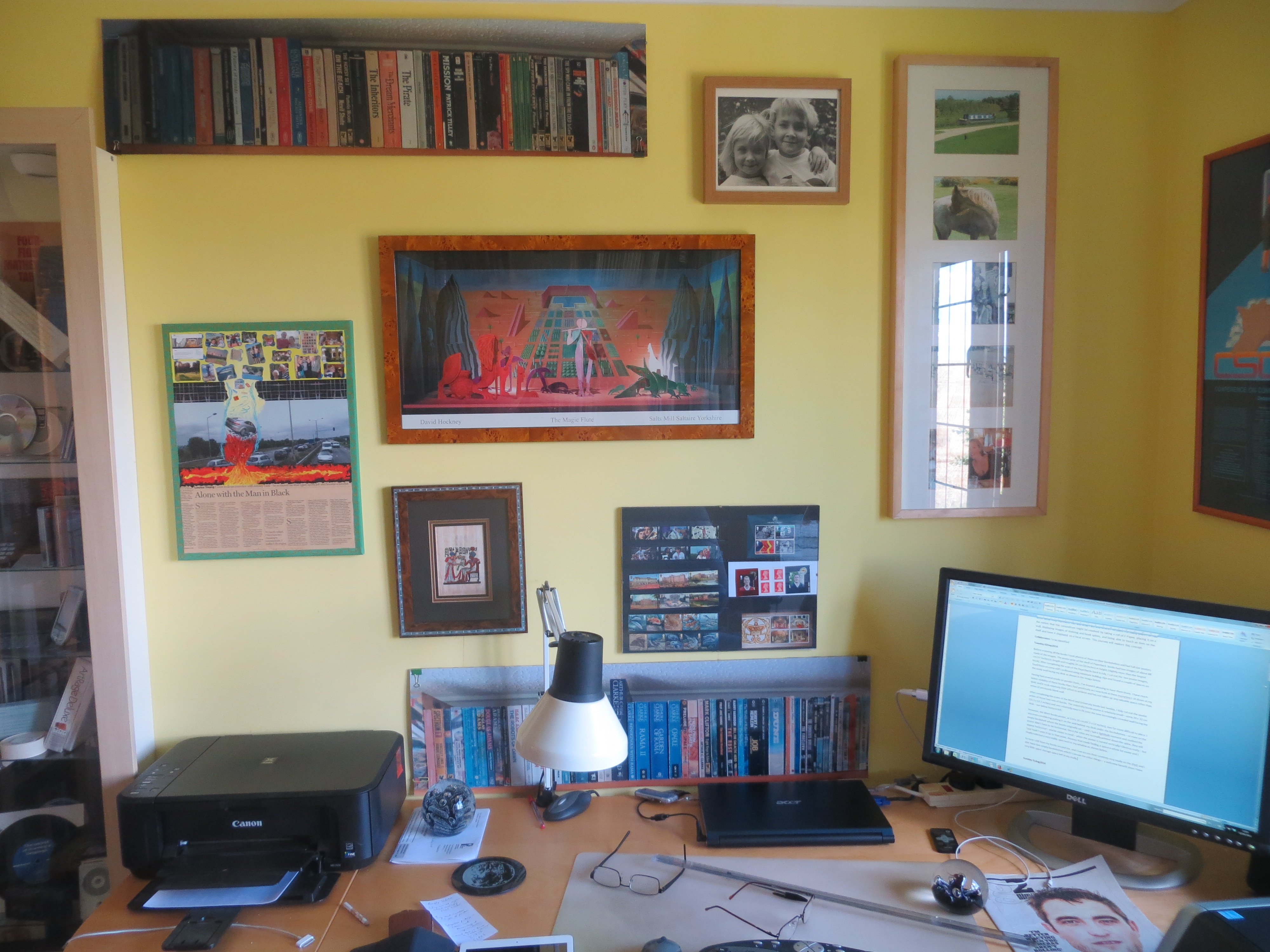
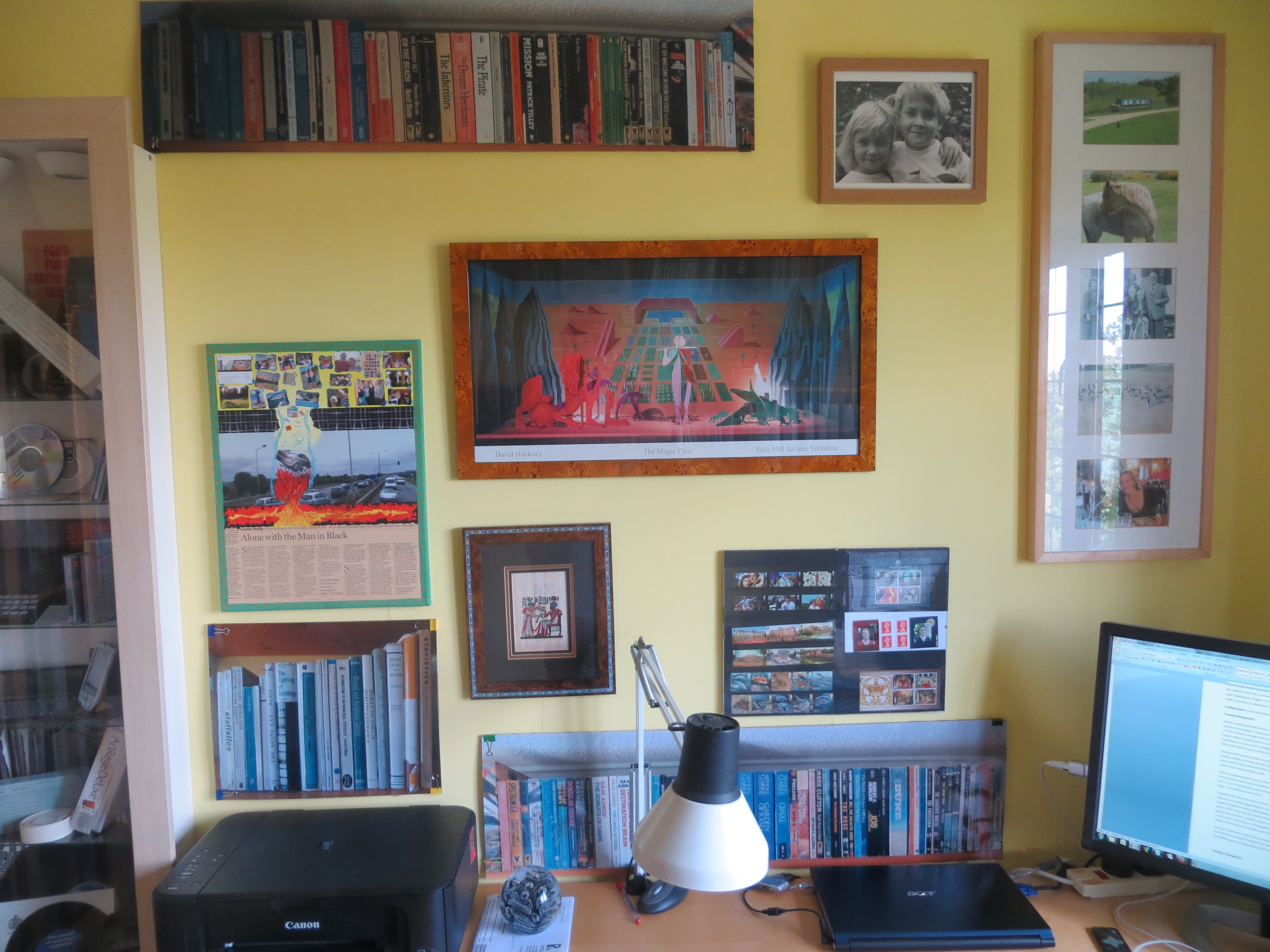
Before scanning all the books I took photos of them on their bookshelves and had full size posters made of the images. The poster print of the shelf of Paperback  books had two images of about 88 cm (37 inches) in length and roughly 24 cm (10 inches) in height (slightly more than the largest book). After completing the scan of the Paperbacks back in July, I cut out the two poster images, fixed them on some stiff cardboard using miniature bulldog clips and found a couple of spaces on the study wall facing my desk as shown in the image below.

IMG_2961

Having had several weeks to ponder them, I‘ve found it pleasing to have them there. I have much better visibility of these books than I had previously as I now look at them every time I sit down at my desk; and it took relatively little effort to achieve and has not taken up any valuable space other than areas of previously blank wall. Of course an electronic and customisable display of the virtual books would have been preferable – but this low-tech version serves much the same purpose.

After completing the scans of the Work and University books last Sunday, I duly cut out the poster prints of those two sets of books. The University books poster is relatively small – some 39 x 32 cm (15.5 x 12.5 inches) and was relatively easy to fit onto the now increasingly crowded wall facing my desk – see below bottom left.

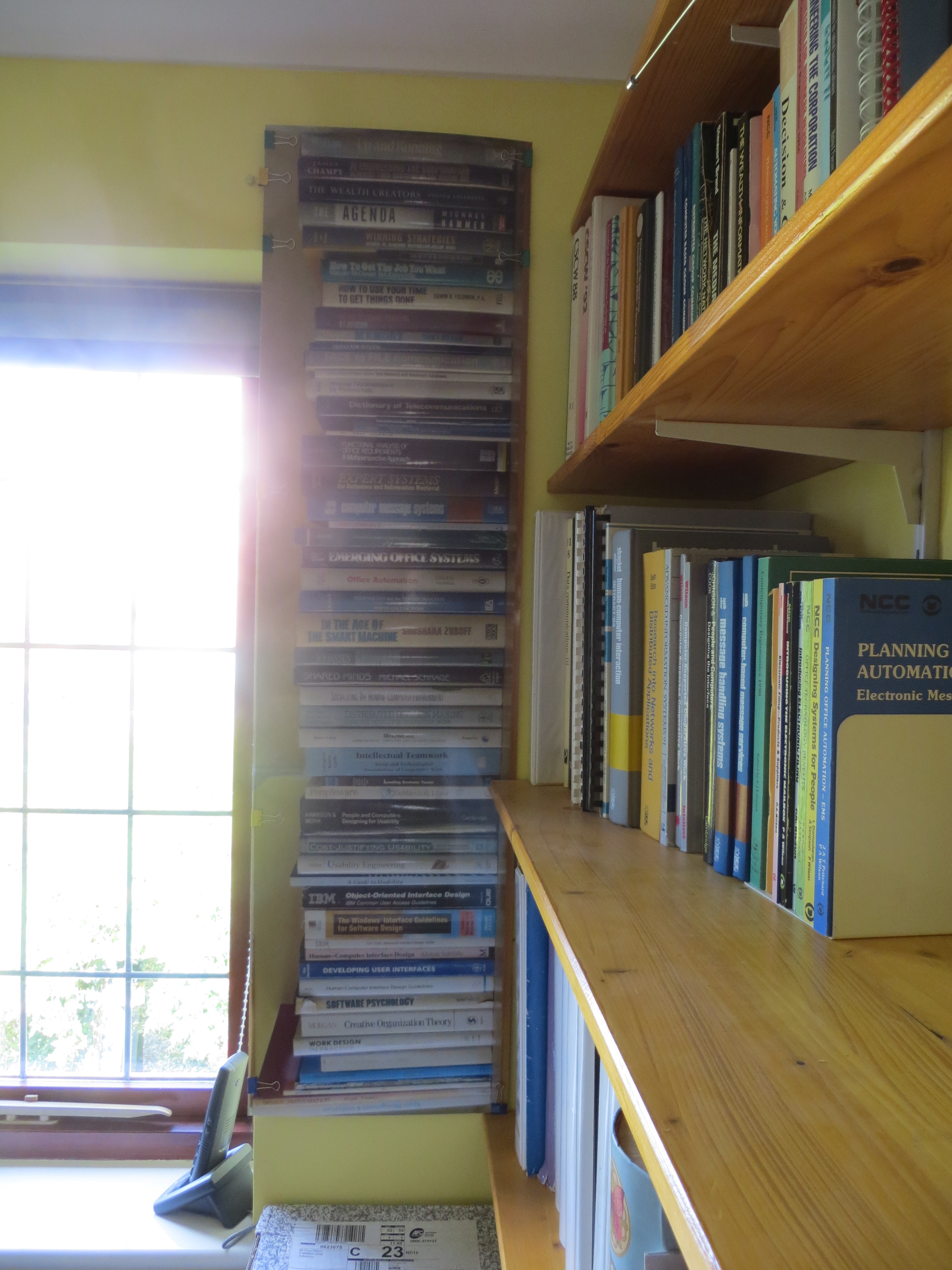
IMG_2966However, the Work books poster, at 114 x 31 cm (47.5 x 12 inches), was far more difficult to place. I was even considering putting it on the wall behind my desk under the bookshelves – or even on the empty bookshelf where the books originally sat – until I had a lightbulb moment and realised the poster didn’t have to be horizontal. Since the titles are normally printed down the spine, they will appear horizontal – and be easier to read – when the poster is turned vertically! Obvious really – but I just hadn’t seen it up to that point. Anyway that made finding a space a whole lot easier and I finally selected a very visible spot between the window and the existing bookshelf as shown below.

IMG_2964

So now I still have my books around me, and I can access their contents very easily on the iPad; and I also have two empty bookshelves which I can use for other things – a welcome benefit since I have very little spare storage space left in my study.

Contents App for Different Types of Doc

It’s good to have a contents template when creating documents of a particular type – an audit report, an IT Architecture document, a Project Plan, or a Preservation Plan, for example – there must be hundreds of different types in use today. It would be very useful to have an iPad app which provides all the standard contents for different types of documents. In some instances, a few of the main headings may not be relevant, or you don’t want to go down to such great levels of detail. So the app could help you choose which subset of all the possibilities would be most useful for a particular set of circumstances. Content components could be suggested by users and moderated by the owner of the app.