Miniature representations

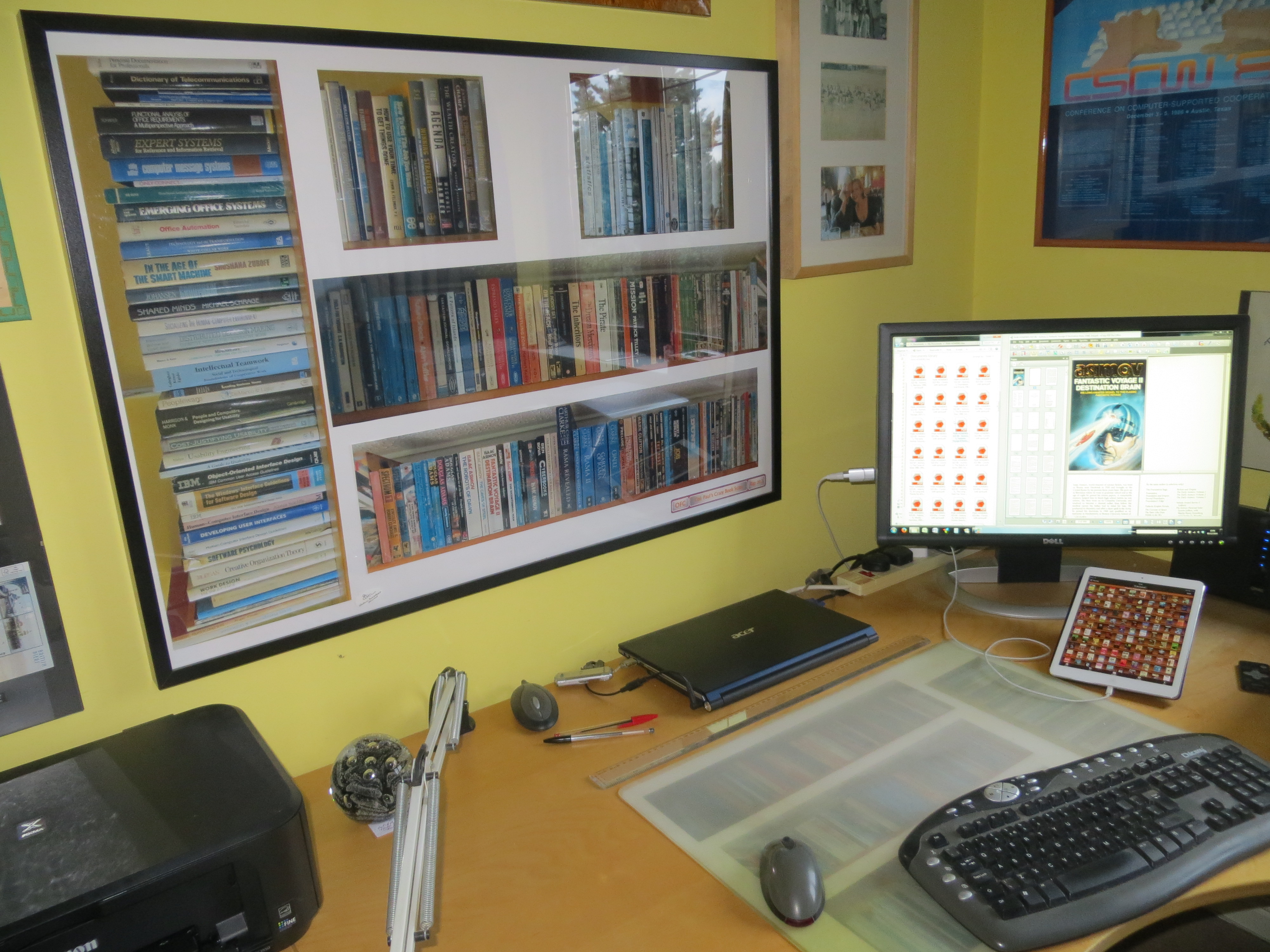
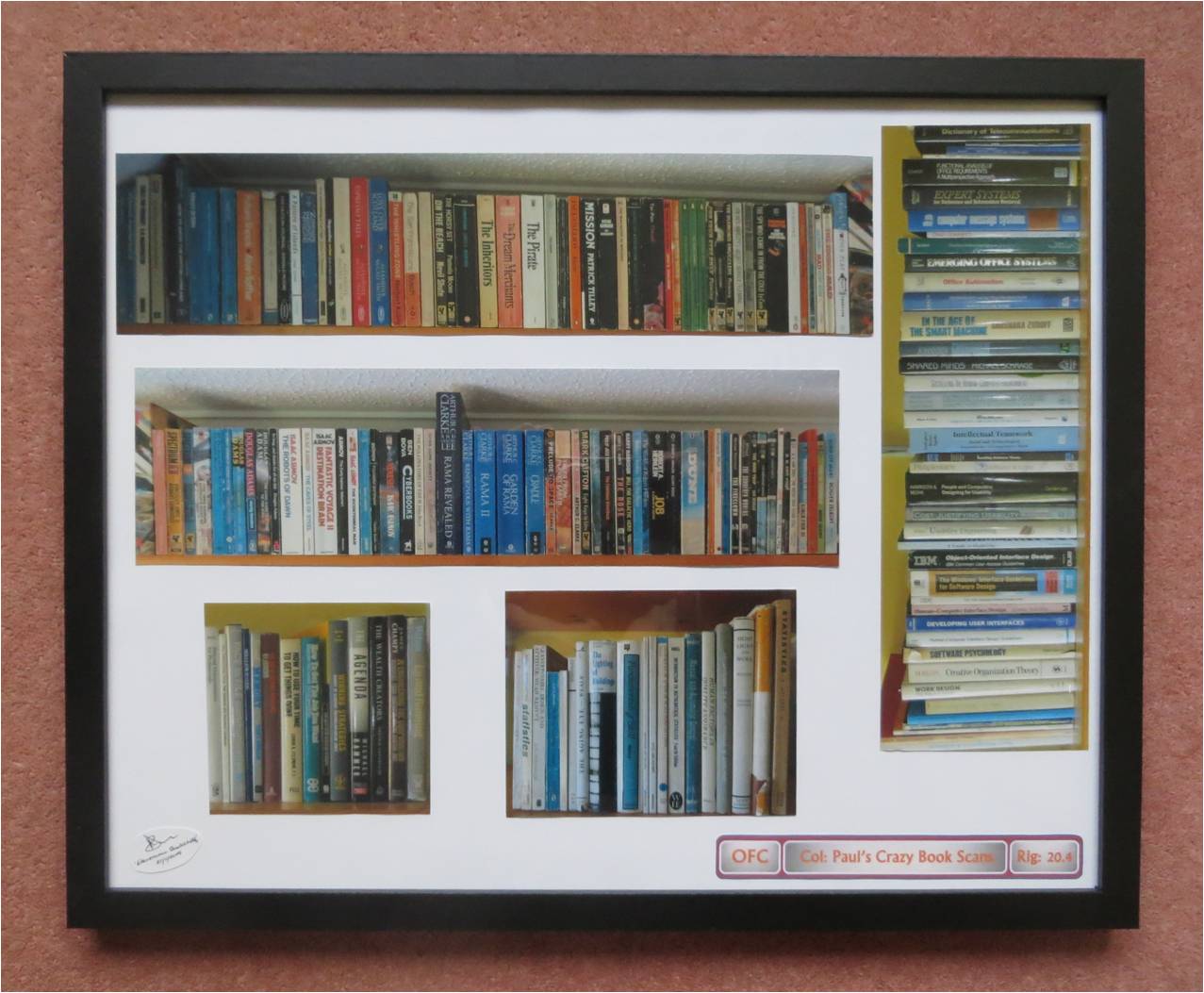
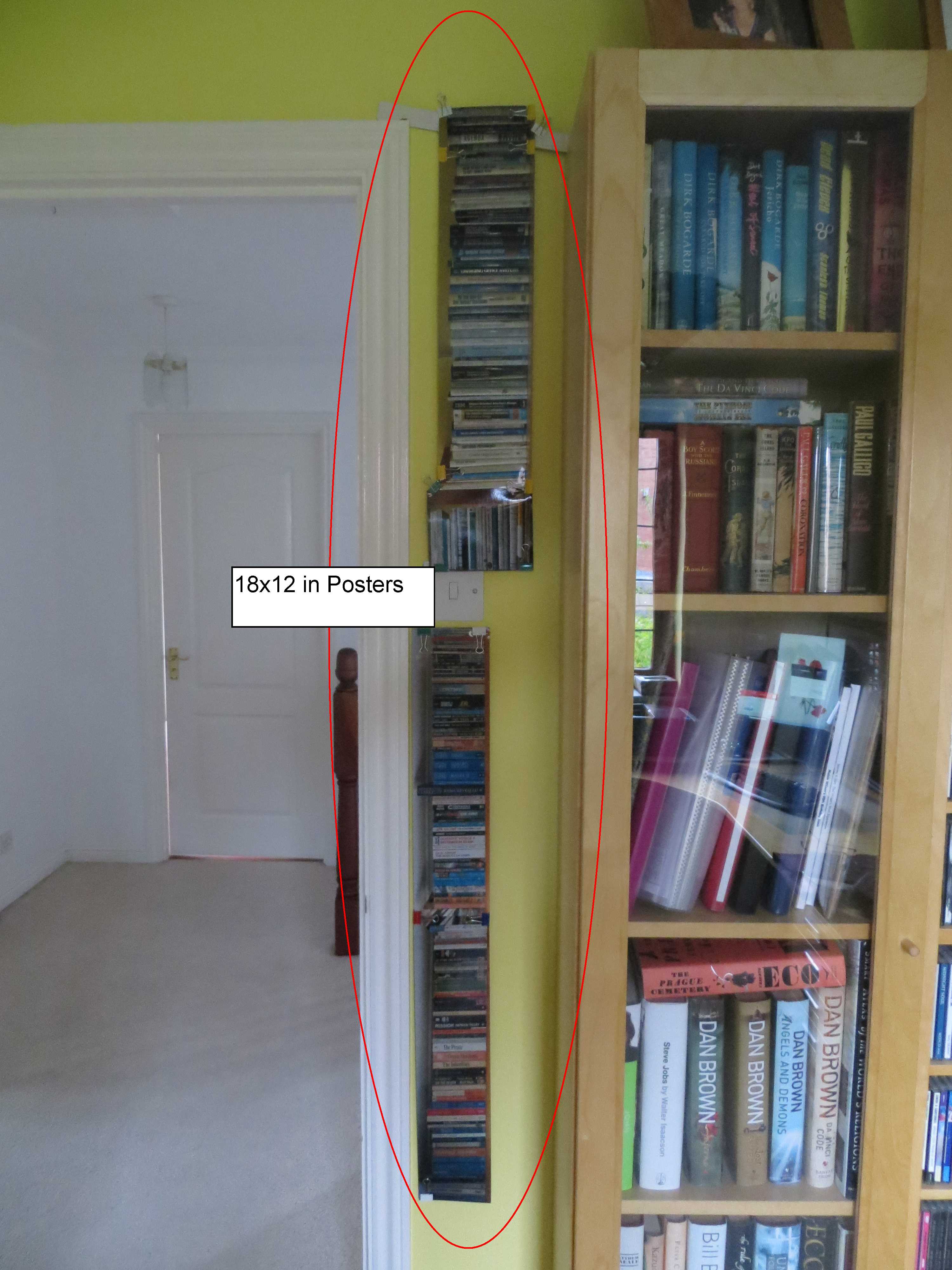
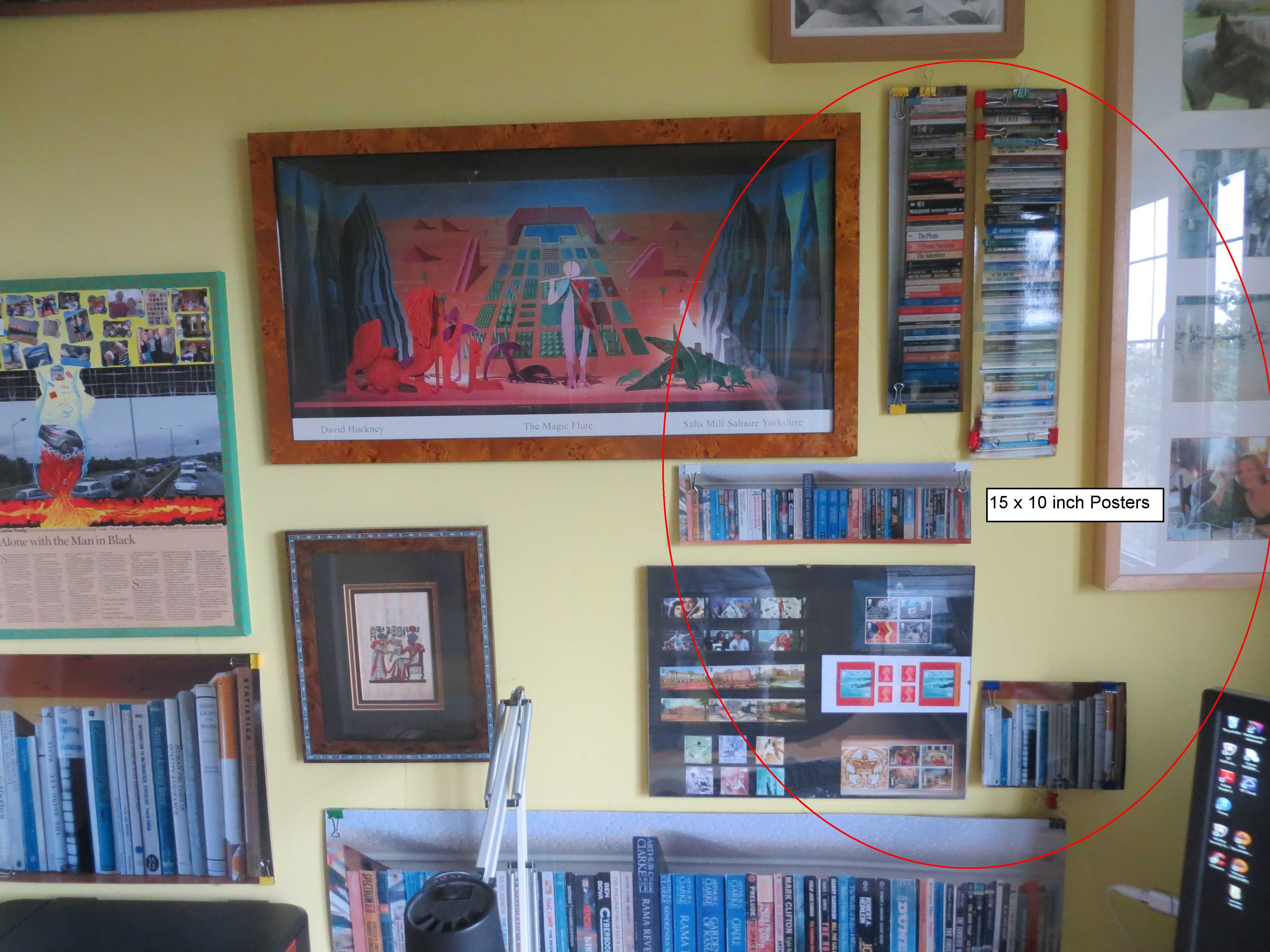
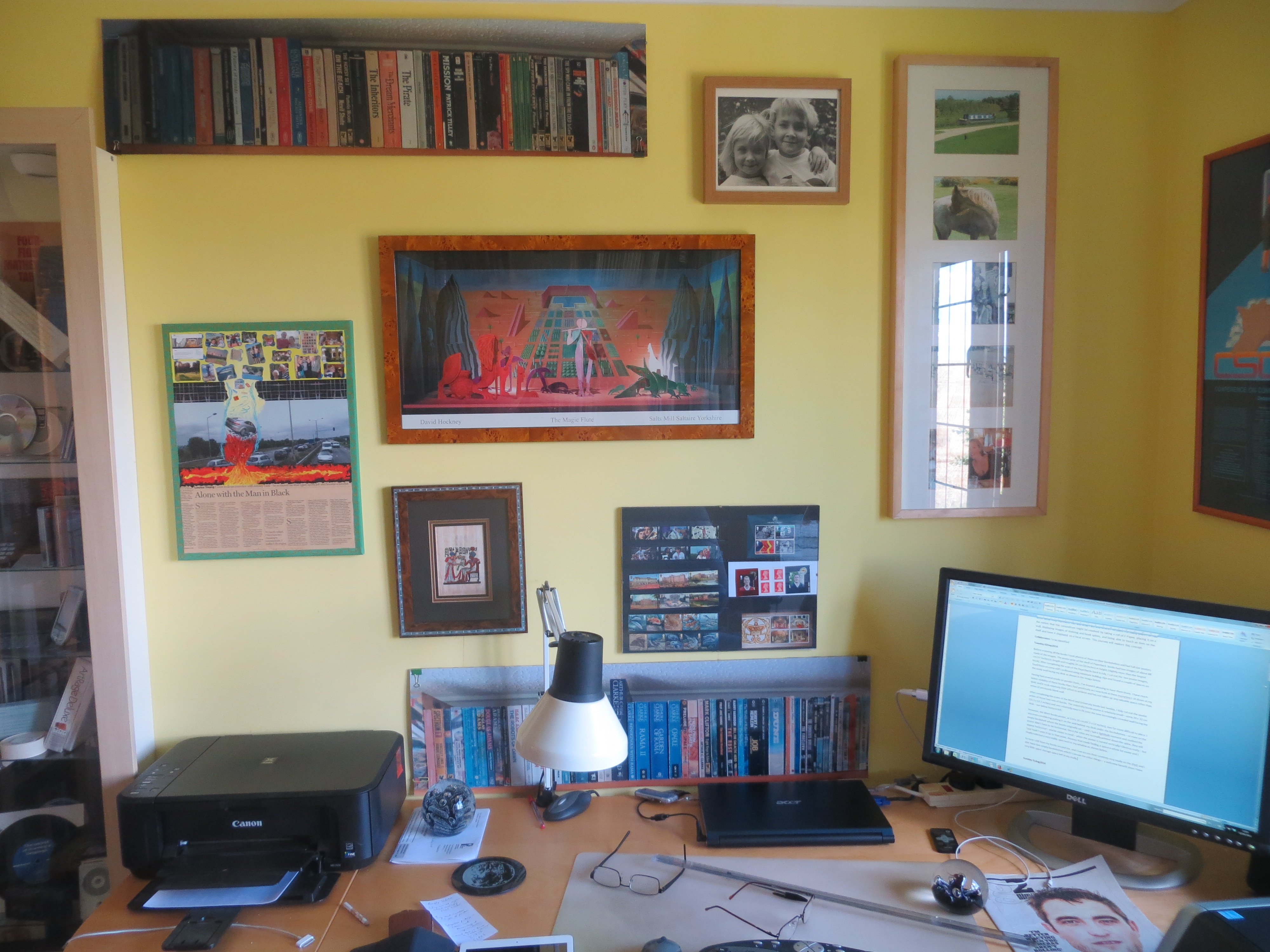
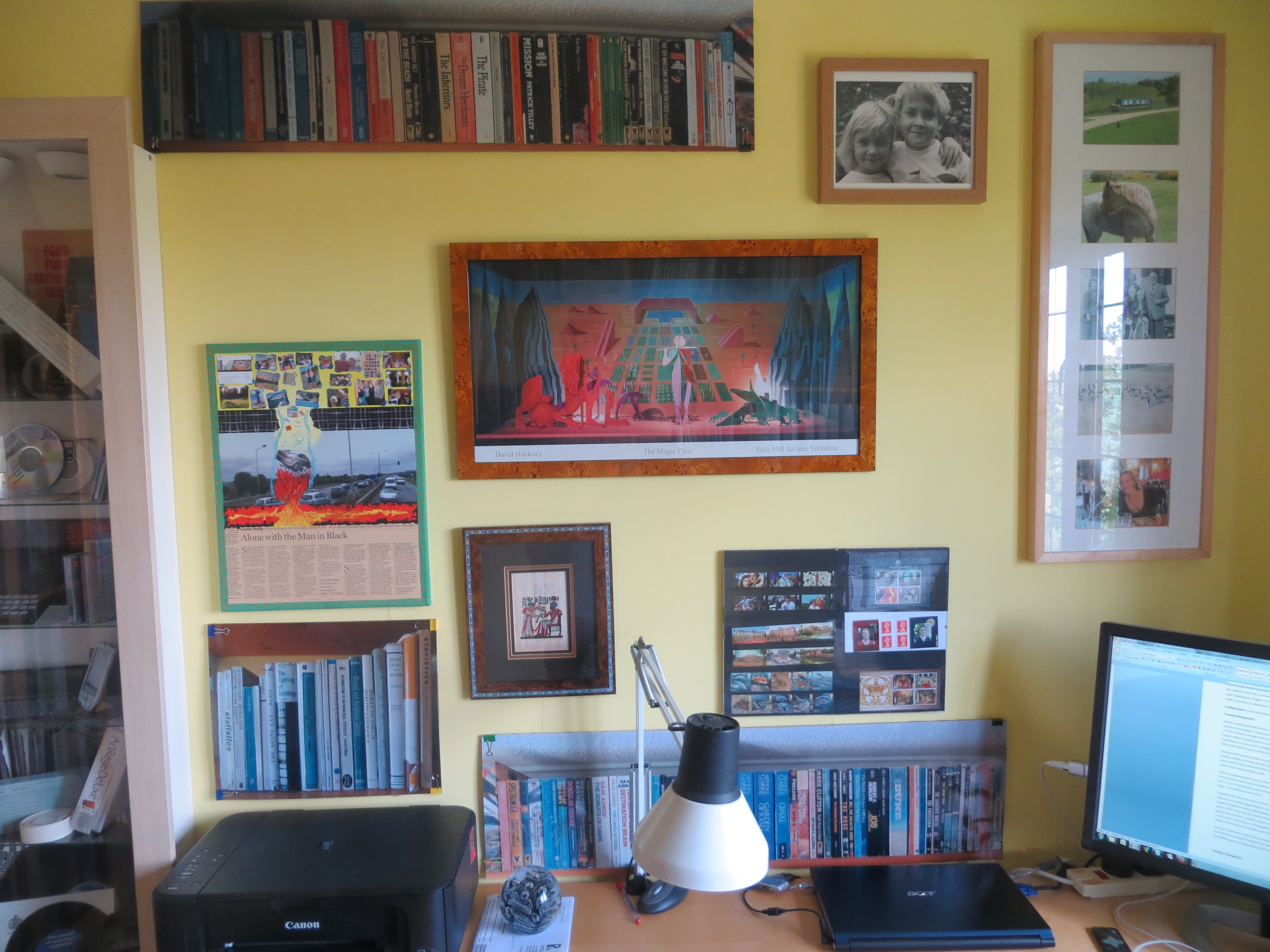
In the last post but one, I described how it was pleasing to have full size poster replicas (40×30 inches) of the shelves of books I have scanned, in easy to see positions on the wall in front of my desk. Since then I have begun to wonder just how small these poster replicas could be to provide the same experience. Therefore, as a final phase in this journey, I’ve had the poster set reprinted in three smaller sizes (30x 20 in, 18 x 12 in, 15×10 in) and positioned them in the remaining wall space in my study as shown in the pictures below. Over the next couple of weeks I’ll mull over how the different sizes compare and try to come up with a view as to whether a miniature representation can provide a similar experience to that provided by a full size representation.

30 x 20 in poster18 x 12 in postersSmallest size posters 15x10

Virtual Display —> Full Text Integration

The original aim of this investigation was to display virtual images of books on a wall and to be able to call up the full text of any one of them to read. The two ends of this objective – display of a virtual bookshelf, and the ability to read the full text of any of the books – have been achieved. However, the integration of the two ends is, as yet, a manual process requiring the user to choose a title from the virtual display, to open up the iPad SideBooks application, and to find and open the required title.

I’ve briefly thought about a variety of ways that this process might be automated. The original notion was to use e-Paper and to be able to touch the image of a book spine to bring up the full text on a separate screen. In the absence of e-Paper, I toyed with the notion of using Image recognition via an iPhone App, but I couldn’t find an App that would use the text recognised to open up another application. I then started thinking about voice recognition and tried out the Apple Siri voice recognition facility on the iPad. Frustratingly, although it will very effectively open up the Sidebooks application just by the user saying “SideBooks”, Siri is not yet able to search for and open up files within applications. This was confirmed to me by an Apple Chat  support person – though he did advise me that I should inform Apple of my requirement via a Feedback form, which I duly did.

That’s as far as I’ve got. Voice recognition does seem to be the most promising approach – and I guess it’s quite possible that Apple may enhance Siri to call up files, sometime in the future. In the meantime, I expect I’ll be able to just about get by in manual mode!

Displaying the virtual bookshelf

Before scanning all the books I took photos of them on their bookshelves and had full size posters made of the images. The poster print of the shelf of Paperback  books had two images of about 88 cm (37 inches) in length and roughly 24 cm (10 inches) in height (slightly more than the largest book). After completing the scan of the Paperbacks back in July, I cut out the two poster images, fixed them on some stiff cardboard using miniature bulldog clips and found a couple of spaces on the study wall facing my desk as shown in the image below.

IMG_2961

Having had several weeks to ponder them, I‘ve found it pleasing to have them there. I have much better visibility of these books than I had previously as I now look at them every time I sit down at my desk; and it took relatively little effort to achieve and has not taken up any valuable space other than areas of previously blank wall. Of course an electronic and customisable display of the virtual books would have been preferable – but this low-tech version serves much the same purpose.

After completing the scans of the Work and University books last Sunday, I duly cut out the poster prints of those two sets of books. The University books poster is relatively small – some 39 x 32 cm (15.5 x 12.5 inches) and was relatively easy to fit onto the now increasingly crowded wall facing my desk – see below bottom left.

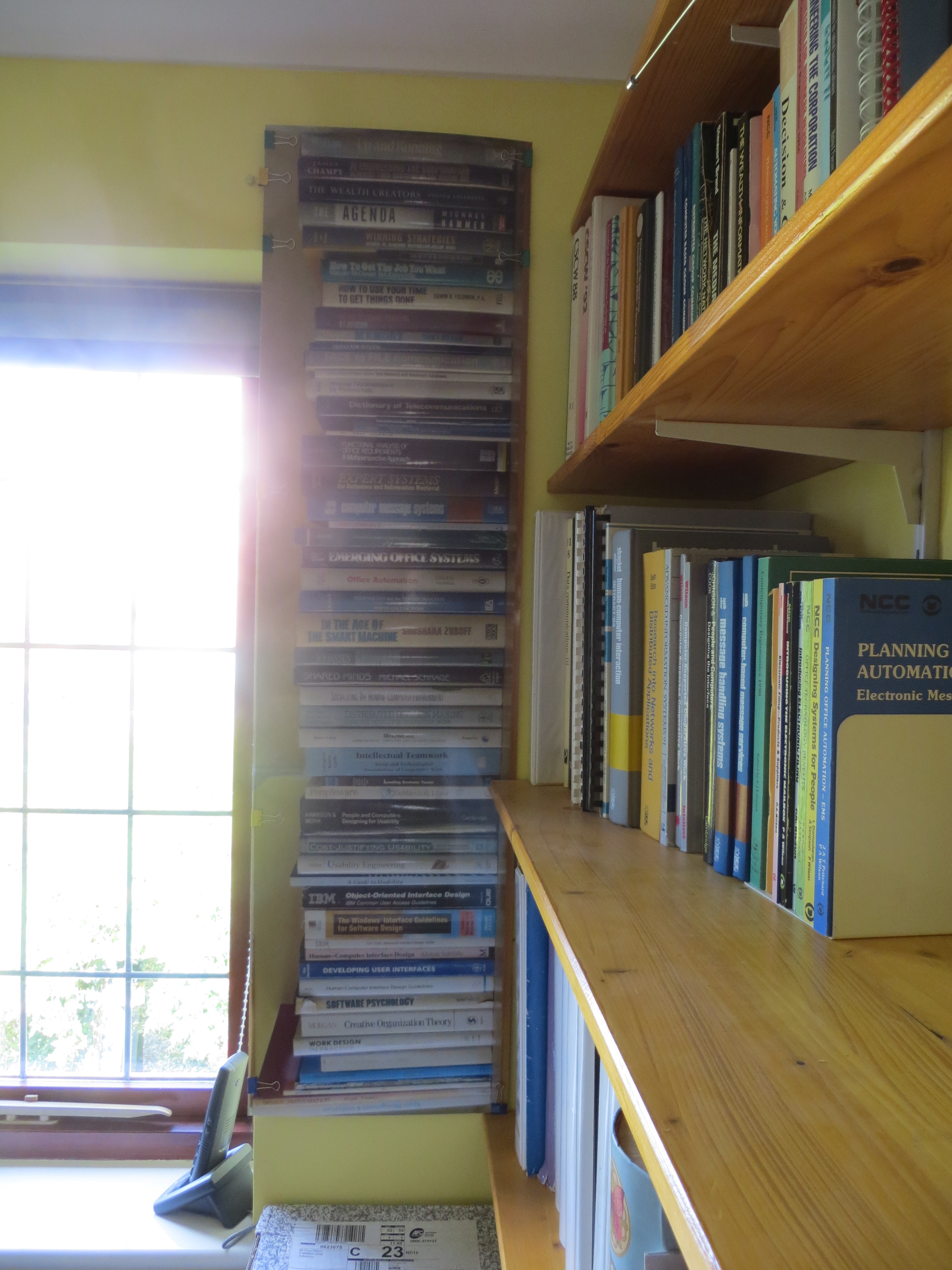
IMG_2966However, the Work books poster, at 114 x 31 cm (47.5 x 12 inches), was far more difficult to place. I was even considering putting it on the wall behind my desk under the bookshelves – or even on the empty bookshelf where the books originally sat – until I had a lightbulb moment and realised the poster didn’t have to be horizontal. Since the titles are normally printed down the spine, they will appear horizontal – and be easier to read – when the poster is turned vertically! Obvious really – but I just hadn’t seen it up to that point. Anyway that made finding a space a whole lot easier and I finally selected a very visible spot between the window and the existing bookshelf as shown below.

IMG_2964

So now I still have my books around me, and I can access their contents very easily on the iPad; and I also have two empty bookshelves which I can use for other things – a welcome benefit since I have very little spare storage space left in my study.

Hardcopies Digitised – e-textbooks are Best!

After a wonderful family wedding in Italy, I restarted the scanning work on the 19th of August. With everything I’d learned doing the paperbacks, I was able to work much faster and I completed all 75 hardbacks (some 21,000 pages) in just 10 days.

Of course there were differences: hardbacks are constructed differently – typically with a strip of gauze being glued onto both the spine and the thick cardboard covers. This has to be cut to remove the pages of the book from the hardback covers. Unlike the paperback covers which were mostly small enough to scan both front, spine and back all at once, most of the hardback covers were bigger and the fronts and backs had to be scanned separately. Some of the hardbacks also had dust jackets which also required their fronts and backs scanning separately. To acquire full images of the full front, spine and back of both the covers and the dust jackets, I took photos of each and trimmed them down using the cropping tool in the PDF PRO software that I’m using (I included these images for completeness in case I want to do further electronic manipulations or displays in the future)

For every book, two PDF files were produced: one for the complete book with dust jacket front cover, inside dust jacket front, hard cover front, inside hard cover front, book pages, inside hard cover back, hard cover back, inside dust jacket back, dust jacket back (or similar for paperbacks but without the dust jackets). The other file was for the cover components and included all the items included in the first file but without the book pages and with full images of the complete cover and dust jacket. The cover and dust jacket images were cropped and finalised in the second file before being pulled into the first file to complete the working PDF file of the whole book which was downloaded into Sidebooks on the iPad via Dropbox. The master versions of the two PDF files for each book are stored in a separate folder on my laptop with an offline backup in the cloud.

The hardbacks were books I acquired for University and for Work – i.e. they were for study and reference. Having got them all into electronic form and onto the iPad, I really cannot see why anyone would bother with a hardcopy version of such textbooks. The iPad version is lighter, smaller, more portable, quicker to access, easier to search and far easier to store. I shall make a point to ask my friends in academia and publishing if there is a noticeable trend away from hardcopy textbooks.

Now that the digitisation work has been completed I shall spend a day or two thinking about what further work to do on this particular Journey.

E-Journals OK – Overall User Experience NOK

In my last entry on this topic I mused if I would get a response from the developers to some suggestions I had sent them; and I was awaiting a new version of the mobile app which apparently was going to resolve some of the issues I had. After 5 months, sadly the answer to both points is NO! I’ve had no communication from the developers whatsoever – they seem to have missed the growing trend to interact with customers. And the new mobile app doesn’t seem to enable users to limit the number of different versions of an article that a user is informed about; nor does it make it any easier to find a particular journal amidst the many hundreds published by Taylor & Francis.

However, I think I’ve had enough with messing about with this. I’ve simply stopped taking too much notice of the alerts as they come through in the email. If an article was really of huge interest I might open it up, but otherwise I just wait till I get the email of a full issue when it’s published and at that point take a look at particular papers and if one is particularly interesting I’ll download it to my document management system and make an entry in my index.  Of course this is exactly how I used to do it when I got the hardcopy version of the journal, so I guess, in my case anyway, the promise of a more immediate journal experience has not been realised, except for those rare papers which have titles which inspire a specific and special interest. The price of being able to spot those special few is having a significant number of alert emails added to the mail queue. Is it worth it? Well, I’m not so sure, but at least that’s one thing that is somewhat user configurable – you can elect to have the alerts Daily, Weekly, Monthly or Never. Unfortunately the functionality to just be alerted when a new issue is finally published seems to be missing despite the text in the settings seeming to indicate that such a choice is available. I’m afraid that’s the final straw – this organisation isn’t really bothered about the individual end user, and I have other things to do with my time. I’ve found that taking a journal electronically does work for me – especially when reading it on an iPad – but I suspect there may be better overall user experiences to be had.  It’s time to get of this bus.

Paperbacks Finished

Today I finished digitising the set of 111 paperbacks. It’s been a slow seven week haul but I speeded up as I got more practice and was eventually doing about eight books a day. I started out with the paperbacks as a trial for the main hardback sets; but having done them I realise that they do mean a lot to me, and that they represent a valid investigation in their own right. This is what I think I’ve learned so far:
1. Looking at each of the paperbacks reminded me of how interesting some of them were and has renewed my interest in them.
2. Having the books on my iPad gives me immediate and easy access to them, and makes it perfectly feasible to just dip in and out of them at will – something I have already been doing.
3. It’s good to have the book covers visible on the iPad – on the bookshelves only the spines were visible.
4. I’m luxuriating in the knowledge that I’ll be able to have access to these books always wherever I am – whether it’s in a new house, on holiday, in the house of my children, or in a care home or hospital.
5. Having freed up one whole bookshelf I realise that it opens up the possibility of putting other things on it- both things I don’t have enough room for elsewhere or things which have been stored and which I’d like to make visible.
6. On the down side, I’ve had to destroy the books to digitise them, so I won’t be able to handle the physical items any more. For the most part that’s not a problem, but for one or two, (such as the copy of the Travels of Marco Polo which I covered with takiback some 50 years ago) it’s a shame.

12 Step Scoping Template

Over the last few weeks I’ve tried out both the Plato 4 tool (http://www.ifs.tuwien.ac.at/dp/plato/intro/) and the DPC 12-question template provided me by William Kilbride. Plato is a free comprehensive web-based tool for which you have to register to use and which you can then use for any number of collections. It takes you through a workflow which includes inputting sample documents and defining experiments to test preservation options. However, it doesn’t provide any guidance on what those options could be. It is clearly aimed at institutions with large complex collections, however, as an owner of relatively small collections, I found it useful to experience the preservation steps that it takes you through. The 12 step questionnaire is a much more flexible tool, which while also being designed for large institutional collections (as indicated by the inclusion of a variety of Risk Management information) is much more flexible and is easily adapted for use for small personal collections.

I tried out both tools on a small uncomplicated collection of some 800 files of Mementos and Personal Electronic documents (Test of 12-step Template) and came up with the following initial observations (which I have relayed back to William Kilbride and Neil Beagrie):
A. Neither tool provides specific technical guidance on what to do.
B. Plato is designed for large institutional collections and, of the two, the DPC 12 step tool is most adaptable for use with Personal Information collections.
C. The 12 step template seems to be more of a Scoping document which would be a precursor to a Plan.
D. Neither tool mentions a Maintenance Schedule but seem to assume that the Preservation Plan will incorporate both immediate and long term actions. I believe it will be more effective to separate the two so that an initial project (which includes a task to produce a Maintenance Schedule) can be defined, completed and closed.

I now have a way forward – I shall create the following three sets of documentation to perform Digital Preservation work on a particular collection:

  • Scoping document (adapted from the Kilbride 12 step template)
  • Preservation Plan (which will define specific actions to be taken immediately:
  • Maintenance Schedule (which will define actions to be taken during the lifetime of the collection)

The Collections I shall perform this work on are:

  1. PAW-PERS – approx 800 Personal Files of various uncomplicated file types with an Excel index
  2. Photos – approx 14,000 – mainly JPGs with an Excel index
  3. e-Books – approx 180 books from my bookshelves that I have scanned to PDF, with an Excel Index
  4. PAW/DOC – approx 180,000 personal work files currently in a Document Management System with a linked Filemaker Pro index.

The key information I am still missing is specific guidance on preservation actions that can be taken such as what are the best long term file formats. I’ve asked William Kilbride if any such guidance is documented in one place, but suspect I am going to have to rely on individuals to help me find it. Hence, I am trying to find someone who I can collaborate with and have started by emailing Jenny Bunn at UCL and shall also contact the three names that William Kilbride suggested.

First step – try out two approaches

To get started on this work, I’ve been looking for examples of Preservation Plans that I can use to understand what I need to do. However, they are not so easy to find. Descriptions of Preservation Planning Policies and Processes are available but these tend to be aimed at institutions managing large collections. I need something that will work for relatively small collections owned by individuals. To get some idea of what is available, I spoke to William Kilbride of the Digital Preservation Coalition, who was kind enough to provide me with some training materials which include 12 questions to answer to devise a Preservation Plan. He also advised me to take a look at the Plato online tool for constructing a plan. I think I’m going to take one of my collections and have a quick try out of both approaches before deciding exactly how to proceed. William also very kindly gave me three contact names who I could try in my search for a collaborator on this topic. So, I’ll also be following them up in the coming weeks.

Digital Preservation Planning

With today’s computer technology, it’s never been easier to collect and enjoy digital artefacts. However, creating the artefacts in the first place is simply not enough to ensure that you’ll be able to enjoy them in the long-term or be able to hand them down to family members. Unfortunately, the technology we use continues to change rapidly, so the hardware and software that works today is unlikely to be of much use in twenty years time. So, to ensure that a digital collection will be accessible and usable for years to come, it’s necessary to make a plan – a Digital Preservation Plan – and then to apply it. This is what I need to do for all the various digital collections that I’ve been working on and discussing in the OFC website; and I’m going to use the practical experience I gain in the process to assess the usefulness of today’s Preservation Planning guidance and tools and, if I find any shortcomings, try to make suggestions for improvement to the professional community working in this field.

Displaying Mementos in SideBooks

I finished sorting and scanning the initial set of mementos at the end of November last year. Of the 734 items considered, 434 were included in the collection, indexed and digitised; and, of those, 133 were retained in their original physical form and stored temporarily in presentation folders or a display cabinet. With that complete I was able to include the Memento Collection in work on understanding the role of the artefact in the digital age.

However, It was always my intention to explore ways of bringing both the physical and digital mementos to life and making them visible and accessible, at some point in the future. The opportunity to do so arrived sooner than I anticipated when, by chance, the SideBooks tool that I identified for my electronic bookshelf work turned out to be an excellent mechanism for doing just that. It displays the first page of a PDF file on a virtual bookshelf in an iPad tablet – and, since many Mementos are more pictorial than just plain text, this results in a very visible and accessible display. Furthermore, SideBooks has an inbuilt capability to import files using Dropbox. Consequently I was able to import and assemble the 400+ memento files into SideBooks on my iPad over the course of just a few days. I’m very pleased with the result. My mementos which had been locked up in a jumble in a box in the loft for years, are now visible and accessible in an instantly accessible iPad which I can carry round the house with me and take with me wherever I go. Some example screens are shown below.

IMG_2440IMG_2439IMG_2454

I may do more work on bringing the mementos to life in the future but for now I have a very workable and serviceable solution. Of course, there is still the remainder of the Year Files from after I got married in 1980 to the present day that need to be sorted, indexed and scanned before this Journey will be complete. That exercise may throw up some further insights since, unlike the work I have done to date on my own, it will be conducted with my wife who may have other ideas of what to keep and why, and how to store and display items.