Experiences with the first 35 books

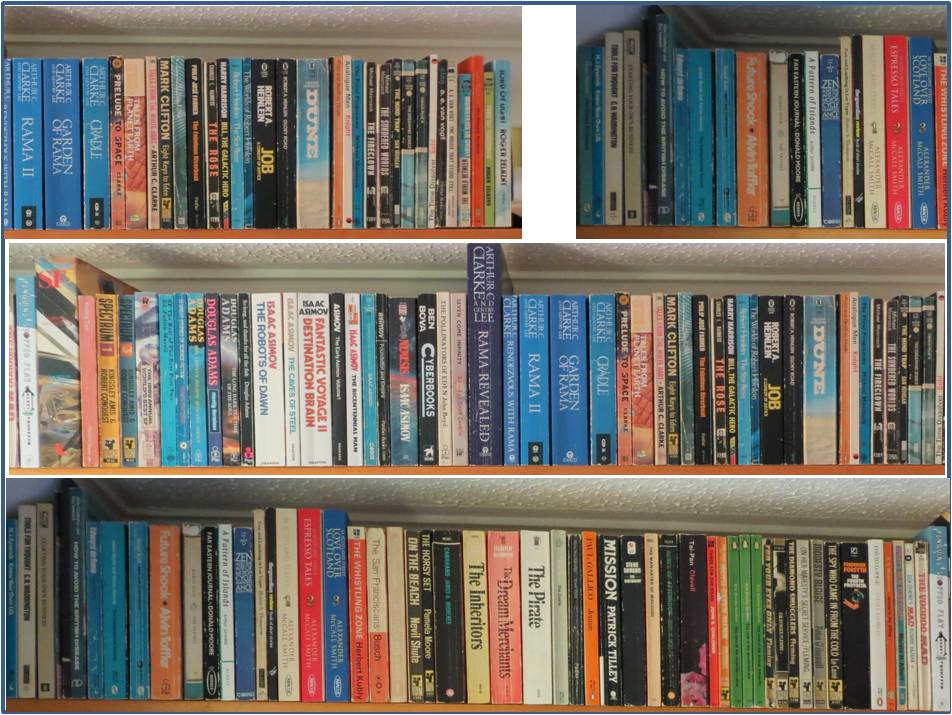
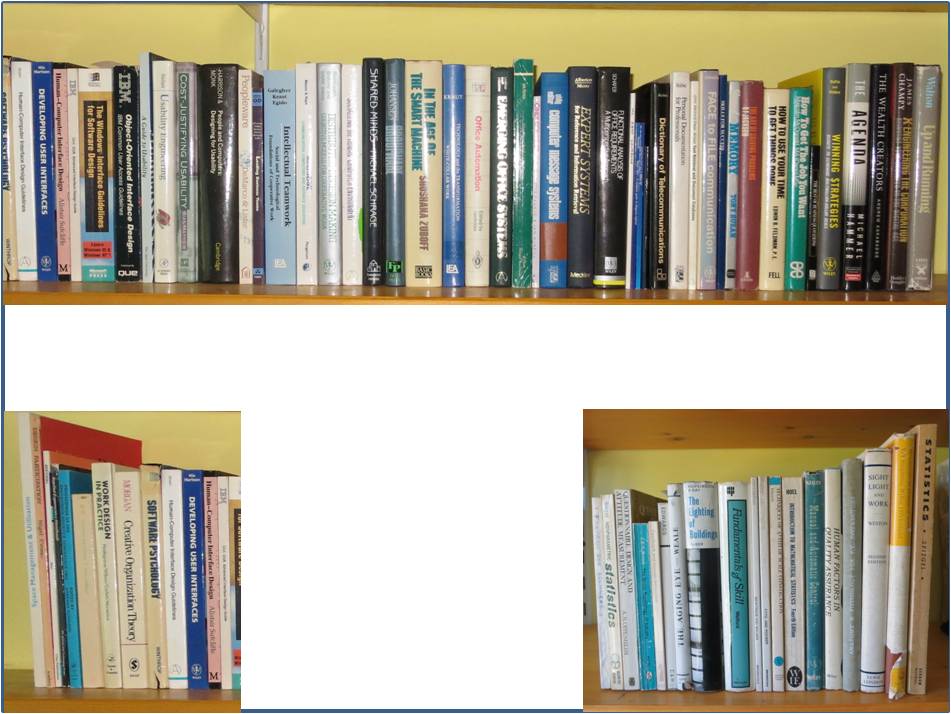
Although I’ve decided to start this work by initially displaying my digitised books in the Sidebooks iPad app, I still want to have the possibility of exploring interaction with a full size simulation of a shelf full of books.  So, before starting to scan, I took some photos of the books on the shelves and manipulated them using the GIMP editor to get them to come out actual size on two 30 x 40 in Poster Prints which I got using a half price offer from the Snapfish service.  That gives me the ability downstream  to cut out each set of books from the posters and fix them to whatever surface I desire.

Paperback books University and Work BooksI got the posters done about four weeks ago and since then I’ve been knuckling down to the hard graft of scanning the books (I have explored whether there are pre-scanned copies available on the net but with little success – more of this in another entry). This involves scanning the front and back covers and then cutting the pages down the spine edge so that I can put them through the sheet feeder. So far I’ve done 35 paperbacks and think I’ve got round most of the problems and issues including:

  • Covers: The covers need a separate flatbed scan so I do them first to a separate file and stitch them into the main PDF at the end of the process.
  • Page browning: Older paperbacks seem particularly prone to this and can result in scanned images that are too dark. To get a readable scan the contrast setting needs to be adjusted.
  • Pages stuck together: Pages need to be completely separate from each other to go through the scanner smoothly, so the spine cut has to be sufficiently far in to ensure that none of the pages remain stuck together with the spine glue.
  • Spine cut can skew: I’ve found that trying to cut through too many pages at once is counterproductive as the cut gets skewed. So I limit the edge cuts to sections of about 130 pages.
  • Incorrectly scanned pages: The pages go through the duplex scanner very quickly (a couple of minutes for 150 pages) and occasionally the software makes mistakes such as cutting off the edges of pages, or displaying two or more pages as a single image, or failing to turn a page to its correct vertical alignment. So I conduct an eyeball check of the thumbnails as the pages go through the scanner and rescan if there appears to be major problems with a particular run; and then I do a detailed check in the PDF Editor afterwards before inserting the covers and creating the Bookmarks (see below).
  • Bookmarks: The Sidebooks software has  a facility to display a book’s contents which can be used to jump to a particular part of the book – but these are essentially bookmarks which have to be manually created in the PDF version by going to each relevant page, specifying the destination point and creating the text that will appear in the bookmark list. The more chapters or sections that a book has the longer this process takes – I’m beginning to value authors who don’t go overboard on the chapter thing.
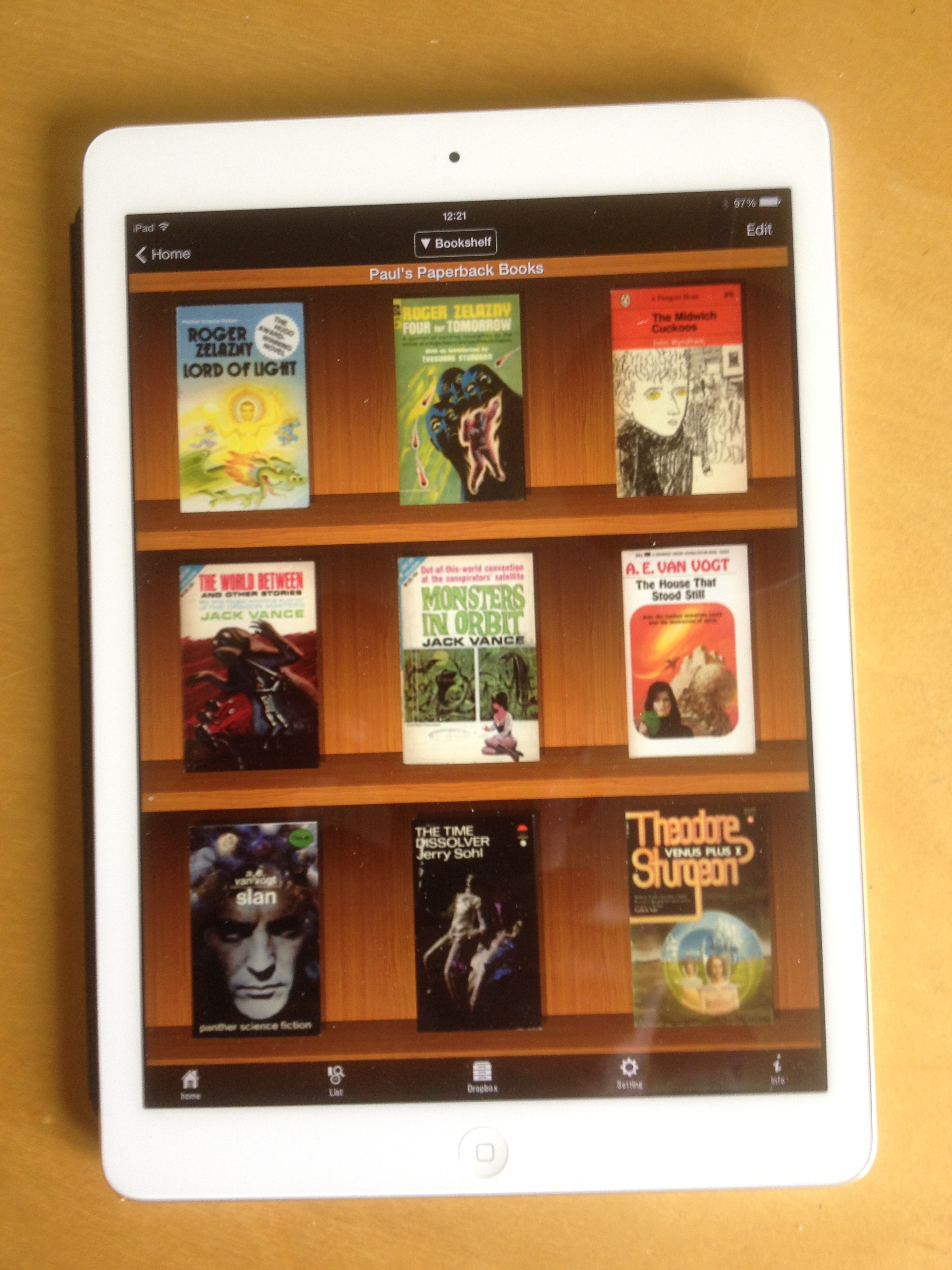
  • Testing in Sidebooks: The final stage is to place the finished file into my dropbox folder on my PC, wait for it to replicate, then to open the dropbox option in Sidebooks, select the file and wait for the book cover to appear on the Sidebooks bookshelf. This is an incredibly quick process – it takes about 40 seconds from start to finish for a 15Mb file! I then do a quick check of the covers and a few pages to make sure they look OK and then test that each of the bookmarks links to the correct page. Sometimes, the wrong page is opened or I discover a spelling error in the Bookmark text so I go back to the PDF editor and make whatever changes are required and download the file again.
  • Proof of ownership: To demonstrate that I haven’t just ripped these books and to  insure against any copyright issues downstream, I am pulling the complete front, spine and back covers intact from the spines of the books themselves and retaining them together with the Title and Publisher’s Info pages, and storing them in the loft (the intact covers may also come in useful if I want to create images of the spines for any interaction experiment downstream).

My initial reaction to the results in Sidebooks (see below) is very positive. It may just look like a familiar old e-book display – but the fact that they are all my books that I’m familiar with and that they are so easily accessible is particularly satisfying. When I’m through the scanning process I shall do a more detailed examination of the impact of this different way of owning a collection of books.

IMG_1343IMG_1344IMG_1345

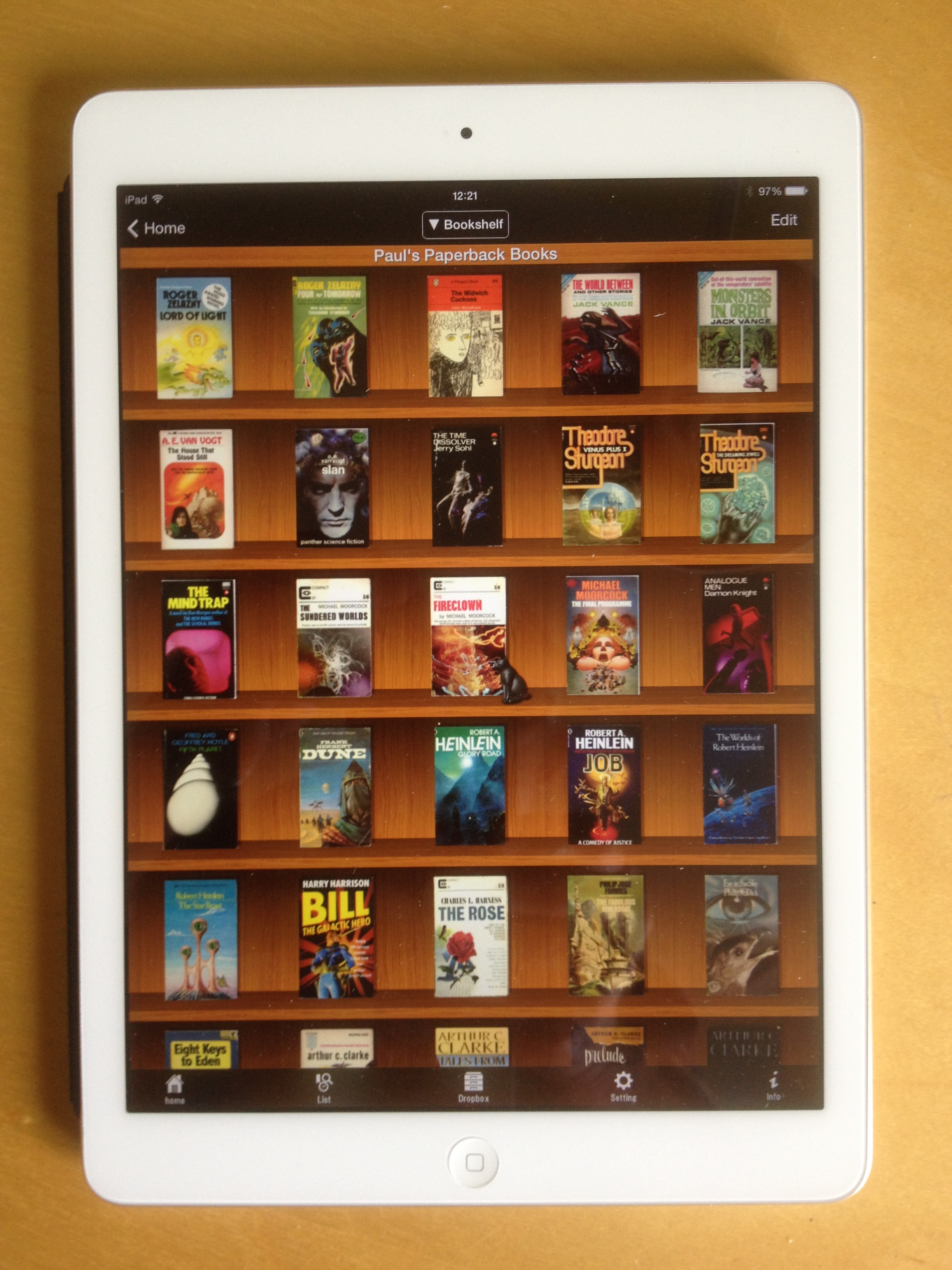
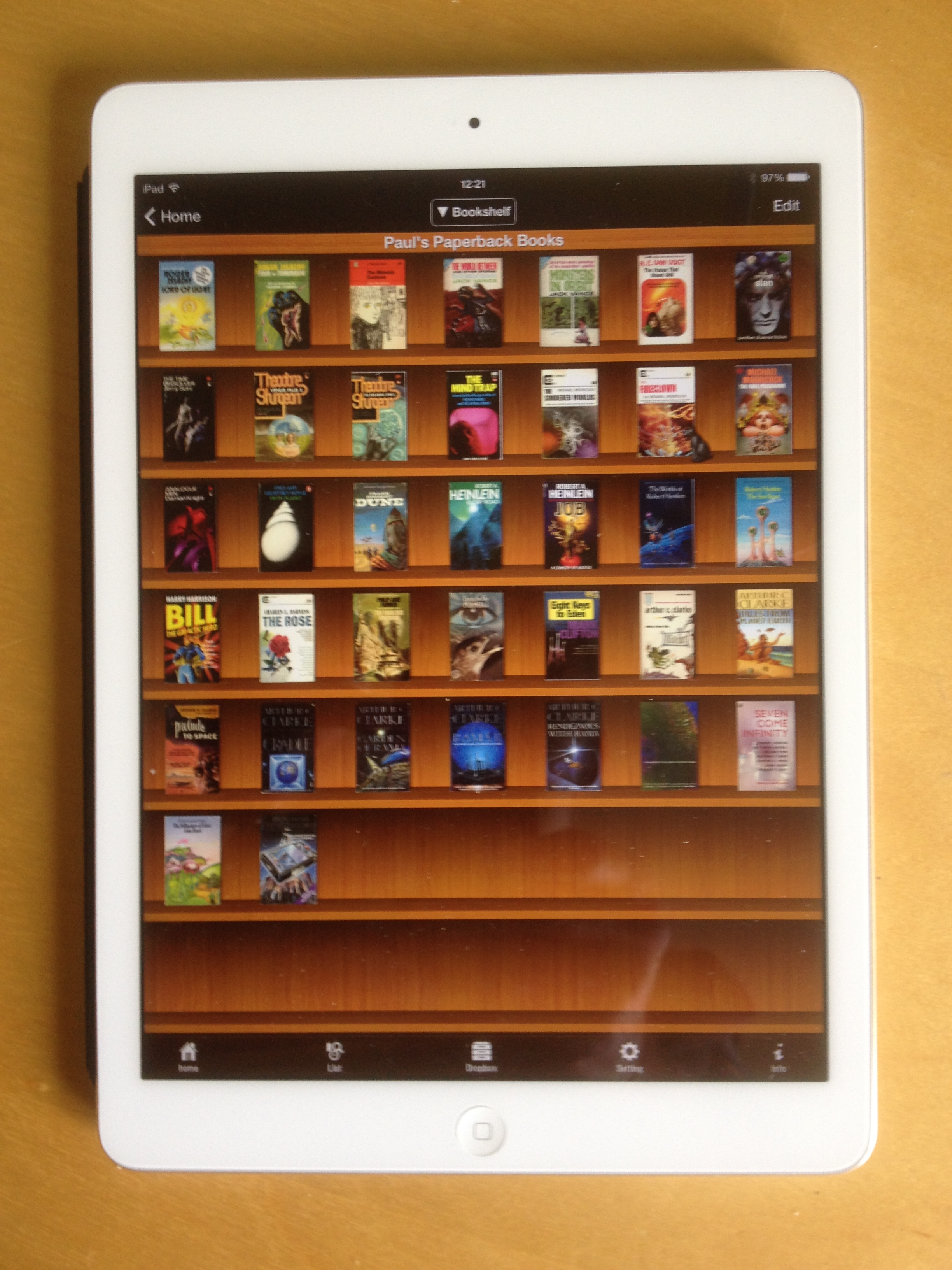
Above are three views of the Sidebooks bookshelf showing the 35 paperbacks I’ve scanned so far. Sidebooks reacts to the iPad zoom in and zoom out facility by placing more or less books on a shelf.

The end of this particular road

I received word from the JASIST editor last Friday that the IV in PIM paper had not been accepted for publication. It included damning comments from two Reviewers which made me conclude that it isn’t worth trying another publication. Instead, I’m publishing the paper here. At least I know that it’s a coherent piece of work, which faithfully reports a non-trivial process, and from which has emerged two novel sets of ideas – a Model of ‘Decisions associated with Personal Information Collections’ and a list of ‘Retention Criteria for Personal Information Collections’ (the latter of which has already been of use in informing my choice of books for the Electronic Bookshelf work that I embarked upon a few weeks ago). From starting out with some vague questions about the worth of hardcopy documents in an increasingly electronic age, I’ve learned a lot more about the newly emerging PIM discipline, about the professional field of Archiving, about the relationship between Document collections and Memento collections, and about why I keep the physical artefacts that I keep. It’s been a worthwhile journey.

e-paper 0 – iPad App 1

For the last week I’ve been mulling over what I can do to get this electronic bookshelf work started. I’d already planned to do a quick review of the e-paper literature on the net; but in addition to that I started to think that there might be mileage in investigating the use of iBooks and similar apps for the iPad. Clearly there’s a big difference between simulating a bookshelf on an eight foot stretch of wall and representing that bookshelf on a small iPad screen. However, I started to realise that actually it was just a matter of scale and that the basic architecture would probably remain the same for whatever physical size of screen was used. That set me thinking that, although my initial aim was to simulate books on a bookshelf, displaying mementos and photos  in a virtual cabinet, board or frame are also manifestations of a broader capability – to make personal things visible and accessible. That was the point I decided to draft the following set of functional components:

  • Objects: Books, Photos, Mementos, Posters/paintings
  • Screen: Size, Colour/B&W
  • Interaction: Mode, Process
  • Display templates: Single full screen, Two half screens, Row, Four quarter screens, Other, User defined
  • Playlists: All Books, All photos, All mementos, All Posters/paintings, User defined

With my thoughts a little clearer, yesterday I spent an hour or so scanning the net for info about the current state of e-paper. I found an excellent 2011 article published in the Journal of the Society for Information Display by J. Heikenfeld et al, entitled, ‘A critical review of the present and future prospects for electronic paper’. This seemed to suggest that a lot was going on and that there was a lot of potential, but that e-paper, at that time anyway, wasn’t a mainstream product. A search of the current suppliers seemed to verify this. There don’t seem to be many suppliers and specific product info isn’t advertised – general capabilities are described with invitations to contact the company to discuss requirements. I began to realise that getting my hands on long lengths of e-paper was going to be difficult.

I then started looking at the many and varied iPad bookshelf/pinboard apps. The Apple iBooks app seems to be limited to a single representation of book covers in rows on a white background and only for PDFs. Another product, SideBooks, provides a bookshelf representation (in a variety of possible colours/designs) but, like iBooks, only displays the front covers – not the spines. It also enables hierarchies to be constructed i.e. an icon of the spines of 6 books represents a whole lower level bookshelf and so on indefinitely. Unfortunately SideBooks can only handle PDF, ZIP, CBZ, RAR and CBR Formats – so not JPG photos. However it does enable new items to be imported via Dropbox (this is simple and quick) or iTunes. I tried putting several photos into a PDF and importing it into SideBooks and this worked well – the resulting file sat on the bookshelf with the image of the first photo displayed on the cover. This will be fine for mementos.

This, then, is where I’m up to. I shall continue to look through the labyrinthine Apple Store to come up with a Bookshelf/Display Board product that can handle both PDFs AND Photos – but I’m beginning to think that I might just get on and do this experiment using SideBooks.

Getting started – assembling the books

I have over 100 university and work books that are cluttering up my overflowing bookshelves and that I rarely use, but which I am reluctant to get rid of entirely because in some sense they represent me, and what I am and where I’ve been. For many years I’ve had the notion that this conundrum might be resolved by taking a roll of E-Paper, placing it on a wall, displaying images of shelving and book spines, and being able to touch an item on the shelf and have it displayed on a local screen (The Electronic Bookshelf – summary of the idea).

A few days ago, after finishing the Digital Age Artefacts IV paper and getting up to date with the family photos (a big job which included many wedding photos), I decided to track down all the remaining hardcopy items recorded in my Job Document index and scan them. This included some old copies of ‘Mac Times’ and of ‘Creativity and Innovation Network’ stored in a box in the loft; and also some books and binders on my bookshelf. Tackling the items on the bookshelf prompted me to sort out the books so that the ones I envisaged being used in the Electronic Bookshelf exercise were all together. It was while I was doing this that a couple of the insights I had had in the course of the Digital Age Artefacts work came into play. Specifically, that I wouldn’t want to get rid of hardcopy which contained my own writings, or writings of people I knew, or which were significant publications by organisations I had worked for. While assembling those groups of items together, another category became apparent; I realised I wouldn’t want to dispose of those books which I had used extensively in my work. The bookshelf sort soon became a full-blooded re-organisation with the net result that I have now identified all the books that I’ll use for the Electronic Bookshelf work and placed them into appropriate groups.

There’s two more pieces of preliminary work to be done: first, about 20 of the books have been catalogued in my Job Documents index as PAW/BKS items, and I need to decide whether they will remain untouched as an integral part of the set of Job Documents material, or whether to separate them off thereby making them available for the Electronic Bookshelf experiment (which will entail destroying them in order to scan them). Second, a few of the books don’t have title and author information on the spines – information that is highly relevant to the Electronic Bookshelf experiment. Some of these items clearly belonged to  the PAW/DOC set of material so I dealt with them by scanning them and placing the scanned versions in the Document Management System, and destroying the paper (they were the proceedings of a 1991 workshop on CSCW in Berlin; and four booklets produced by the UK DTI ‘Usability Now’ initiative in the early 1990s – a directory of HCI Tools and Methods, a booklet on HCI standards; a directory of HCI Training; and a directory of HCI practitioners). For the remainder, I may investigate attaching spine information in some way or other.

Having made a start on the electronic bookshelf work, I think the next stage is to do a quick internet search for related work and for people who might be interested in collaborating with me on this particular journey.

Draft submitted to JASIST

After getting the nod from the JASIST editor that it would be worth submitting a paper, I did a quick analysis of what could be cut out of the Full Report and how many words that would save. I soon realised that to reduce it from the Full Report’s 25,000 words to the 8000 words that the JASIST author guidelines suggest are required, would completely emasculate it. So, then I started to look at some recent issues of JASIST to see what length the papers actually are, and I did find some over 19,000 words. That and the fact that the Editor’s short email back to me after scanning the Full Report  said “it might benefit from some editing/trimming/reformatting to make it conform more closely to a JASIST article”, emboldened me to just cut out the extraneous material and chance my arm on the length issue. Consequently I’ve submitted a version today that is just less than 18,000 words. I guess I’ll find out soon enough if that is acceptable or not.

The submittal process is an education in its own right via a system called ScholorOne Manuscripts which asks a variety of questions including whether one has read the Wiley Colour Charges policy which is not provided and which I couldn’t find. If it turns out that it costs to include colour photos and diagrams, mine will instantly become black and white… There was also a requirement to select keywords for the paper from a rather unfriendly and very lengthy taxonomy. The submission process culminated in requiring the download of a complete draft for review purposes; a ‘Main document’ which excludes the Figures and Tables; a file containing just the Figure and Table captions; a file containing all the Tables; and a separate file for each of the Figures. I eventually got through it all – and now I’m just keeping my fingers crossed!

Full Study Report Available

Jenny Bunn’s comments on the full draft were that she believed it was now good enough to submit to a journal but that at 24,000 words, it was probably too long and I would likely be asked to cut it down substantially. With that in mind, I decided to finalise the document as a “Full Study Report” before working on a shorter version for journal submission.

The work to finalise the Full Study Report was rather more intensive than I had envisaged. It entailed a 10 day slog working through the report from the beginning, and making adjustments to ensure it all hung together as well as correcting grammar and typos, improving and numbering the tables and figures, and making sure the references were correct. Following that, I tidied up the large results spreadsheet and in so doing found a number of minor errors which entailed further changes in the document. Eventually, the IV in PIM Full Study Report got finished about a week ago. Then I set about identifying a journal that might accept it for publication.

One of the papers referenced in the IV report was by one Steve Whittaker, a UK researcher previously at the University of Sheffield and now at the University of California, and now very prominent in the field of Personal Information Management (PIM). I was first given his name by Andrew Cox at the University of Sheffield’s Information School, so I emailed him a copy of the abstract, with a copy to Andrew Cox by way of introduction, and asked him which journals he thought would be most appropriate to submit such a paper to. His response was that HCI journals were most appropriate for PIM papers but that a) he was not sure that this was a PIM paper as such as opposed to an archiving/Library Science paper, and b) he thought it would be a stretch for HCI readers to have a one person case study. So he advised me trying the non-HCI journals.

This exchange has begun to open my eyes to an interesting issue which I think I keep on coming up against: despite my collections of job documents, mementos, photos etc. are all highly personal and therefore definitely in the PIM domain, the indexing and management techniques I use to control them are all far more structured and organised than is usually encountered in PIM; and these characteristics make people think they are not PIM collections but fall into the categories of archiving, records management or librarianship. This is an interesting insight and one which I think I shall explore further in the coming months.

Anyway, I decided to take Steve Whittaker’s advice and focus on non-HCI journals. I struck lucky with the first one I approached – JASIST – the Journal of the Association for Information Science and Technology. I sent the abstract and full report in an email to the Editor and asked if she thought it would be appropriate to submit a cut down version to the journal. Her response was that she thought it would be, so I now have a major précis job to cut down the full report by a third to about 8000 words.

I must say, I have been impressed by the rapid responses I have received this week from both people I have emailed. Despite not knowing me they both responded – and the reply came within just a few hours in both cases. I’m quite sure that, like most professionals these days, their email load will be very high, so it is a testimony to their professionalism and to the power of email; and I count myself lucky that they were prepared to spend their time on my missives out of the blue.

Studies Finished! Paper Complete!

This morning I completed the IV in PIM paper – and I’m very pleased to be able to move on to something else. It’s consumed me over this last month – particularly the literature review which required much painstaking reading and analysis. Academics certainly earn their money when they write papers.

The final stage in the IV study involved analysing the reasons why 109 items in a collection of 400 mementos were retained. This exercise identified a need for the following changes to the Updated PIM Retention Criteria that emerged from the second study:

  • “Copying explicitly prevented by copyright” will be removed.
  • “ Items relating to the legality of an institution” will be removed.
  • “Executive Policy document” will be removed.
  • “Other – specify reason” will be added.
  • “Does not belong to the Owner” will be added.
  • “For easy access and showing to others” will be added.
  • “Items that the Owner wants to keep as mementos of his/her life” will be added.

The paper comes to three main conclusions:

  • The  NARS Intrinsic Value characteristics provide a useful starting point for considering the question of what originals to retain in PIM collections; but only seven of the nine IV characteristics are applicable within the PIM domain and some of those seven require adjustment to their scope and naming. Furthermore, they need to be accompanied by a further 12 additional criteria to make a comprehensive set of PIM Retention Criteria (PIMRC).
  • The set of 18 PIMRCs that emerged from this paper are unlikely to be definitive or complete, and consequently an “Other” criteria has been included as one of the 18. Nor are the PIMRCs mutually exclusive. The studies reported in the paper indicate a high occurrence of two or more criteria applying to any one item.
  • It is thought unlikely that individual Owners of PIM collections will want to apply a checklist of PIMRCs methodically, but are far more likely to use such information as background guidance. Owners who inherit or are given collections may be more inclined to use the PIMRCs particularly for their initial assessment of a collection. It is believed that knowledge about PIMRCs will assist the general ongoing research into the PIM domain.

Jenny Bunn of UCL’s Department of Information Studies has been very helpful in commenting on elements of the study and on the draft paper as it has developed; and I now await her comments on the results of the final stage, and on the Discussion and Conclusions sections. Then will come the question of whether the paper is worth putting forward to a journal and if so, which one. So this journey is not quite complete yet.

The Customer-Developer Divide

I’ve had a frustrating time over the last few months because I lost access to the Behaviour & Information Technology journal (BIT).  I have two equivalent email addresses (@btinternet.com and @btopenworld.com) and the professional body I pay my online access subscription to passed the other email address over to the Publishers. The result – I lost access to the journal – but confusingly some articles are free to all so it didn’t seem like I had lost total access…. It’s all sorted now – but I’m still finding it tortuously time consuming to manage the steady flow of new versions of articles as they pass through the review and refinement process. So much so, that I’ve decided to stop making temporary entries in my filing index. I shall just mark articles I’m interested in as ‘favourites’ in the Taylor & Francis (T&F) mobile app; and only make an entry in my index when the final published journal comes through. I guess only time will tell whether this makes things easier or not

I’ve made a number of attempts to pass on my suggestion of providing functionality for users to manage articles as they flow through the process, but with no success to date. It seems that there is a huge divide between T&F customers and the developers of their mobile app. However, during my recent access difficulties I established contact with a second level support person called Vamshi Tulasi who said he would pass my suggestions on to the appropriate people. So, today I have sent Vamshi the following points and await with interest to see if I do eventually manage to have a dialogue with the  developers.

1. Management of articles that alerts are provided for. A single article appears several times – once for each stage in the process. However, I only want to have to deal with it once. Having decided I’m not interested in an article I don’t want to waste my time rediscovering that fact each time I am alerted to it as it goes through each separate stage. Likewise with articles I HAVE decided I’m interested in: I don’t want to have to keep looking at them at every stage – I want to look at the articles I AM interested in when they are actually published. However, there is no functionality to mark articles so every article has to be checked every time. I think this is probably an issue which most users are experiencing. Did you consider this when designing the application? Do you have any plans for individuals to mark items as they come through so that they know which articles they are or are not interested in?

2. Search function for journal list: When setting up the mobile app it is necessary to navigate to the Journal you have subscribed to. The journal “Behaviour & Information Technology” (BIT) is in a most illogical position and it took me about 15 minutes to find it – very annoying! Try finding it yourself before looking at the end of this message to see where it actually is. Unfortunately there is no search facility for journals – only for articles – so there is no option but to keep trying various categories until you find it. Are you planning to introduce a search function for the journal list? [answer to location of BIT: computer science – computer engineering]

Interestingly, I just got a very quick response from Vamshi saying “We are coming up with the new version LFM 3.1 , which will be going to release soon. In this version hope your all issues will be resolved.”. We shall see.

Second Study Done

The second IV in PIM study, involving the scanning of 745 items (13,500 pages), is complete. It largely confirmed the Draft PIM Retention Criteria identified in the first study with only two small changes in the wording being identified:

6. “Small publications of around A4 size or less with fixed spine bindings and/or special papers”  to be changed to “Publications with fixed spine bindings and/or special papers”

14. “Aesthetic or artistic quality” to be changed to “Aesthetic or artistic quality including photos”

This was a major milestone in the Document collection since it completed the scanning of some 32 archive boxes which was started in 1996 – a very long and arduous process. The collection now consists of an index and around 200,000 electronic files all on my laptop; and about 440 original documents (14,000 pages) retained in three filing boxes in my study. In principle I can get to any and every item in the collection very rapidly from my study desk.

The final stage of the IV in PIM study will investigate mementos – very different material from the office documents that have been investigated so far – and it is anticipated that this will provide a demanding test of the PIM Retention Criteria that have been identified to date.

First study done: Draft PIMRC here!

The first IV in PIM study of 344 retained items in a large collection of Job documents, is complete and it produced some unexpected results. It established that IV characteristics were only applicable to 71 of the items, and analysis of the reasons for retaining the other items produced a set of Draft PIM Retention Criteria (Draft PIMRC) that was rather different to that which had been anticipated. Here they are:

  1. Digitisation to be performed later
  2. Items to be put to work in their original form
  3. Items for which only the originals confirm their validity
  4. Trophy items to be collected and enjoyed in the future.
  5. Large documents which have particular qualities of impact and integrity.
  6. Small publications of around A4 size or less with fixed spine bindings and/or special papers
  7. Publications which mention friends, colleagues or the owner
  8. Items published by an organisation or programme that the owner works/worked for
  9. Items that the owner has written, produced, assembled or made a significant contribution to
  10. Physical features which make it difficult to digitise the item and/or to reconstruct it from the digital copy
  11. Items illustrating a physical form due to a development in technology
  12. Age that provides a quality of uniqueness
  13. Copying explicitly prevented by copyright
  14. Aesthetic or artistic quality
  15. For use in exhibits
  16. Item relating to the legality of an institution
  17. Executive Policy document

The detailed results are included in IV in PIM, 26Jan2014 – v0.4. I’ll now get started on the second study which will use the Draft PIMRC to assist in making retain/destroy decisions for 4 boxes of Job documents that have yet to be digitised. I anticipate that the results from that work will probably be available in a couple of months.