
Phase 3’s objective was to assess how well AI could support not only an Index and its file titles, but also the textual content of the files itself. However, after doing a bit of digging, I discovered that AIs could not only work with textual content, but also with scanned text, and with images in general (of course, such material still has to be presented to the AI in the form of uploaded files or RAG Chunks). With this awareness in mind, I set about devising some tests to find out just how well AIs can perform when presented with real content as opposed to just metadata. I came up with the following:
Tests of Machine-readable text
- Test 1 – describe and summarise the contents of three years of diary entries in word format
- Test 2 – discuss any relationships that can be found between three Word files with diverse contents: my library loan history for 2004-2012; an account of the petitioning of a school’s teachers to make a change to daily activities; some thoughts about university life while in the infirmary recovering from German Measles.
Tests of Image-only scanned text.
- Test 3 – summarise Friends of the Earth activities in Harrow as documented in three image-only scanned text documents from 1976-1979 in PDF format.
Tests of Text in images
- Test 4 – list all the events and activities described in three documents of events, tickets, membership cards etc.
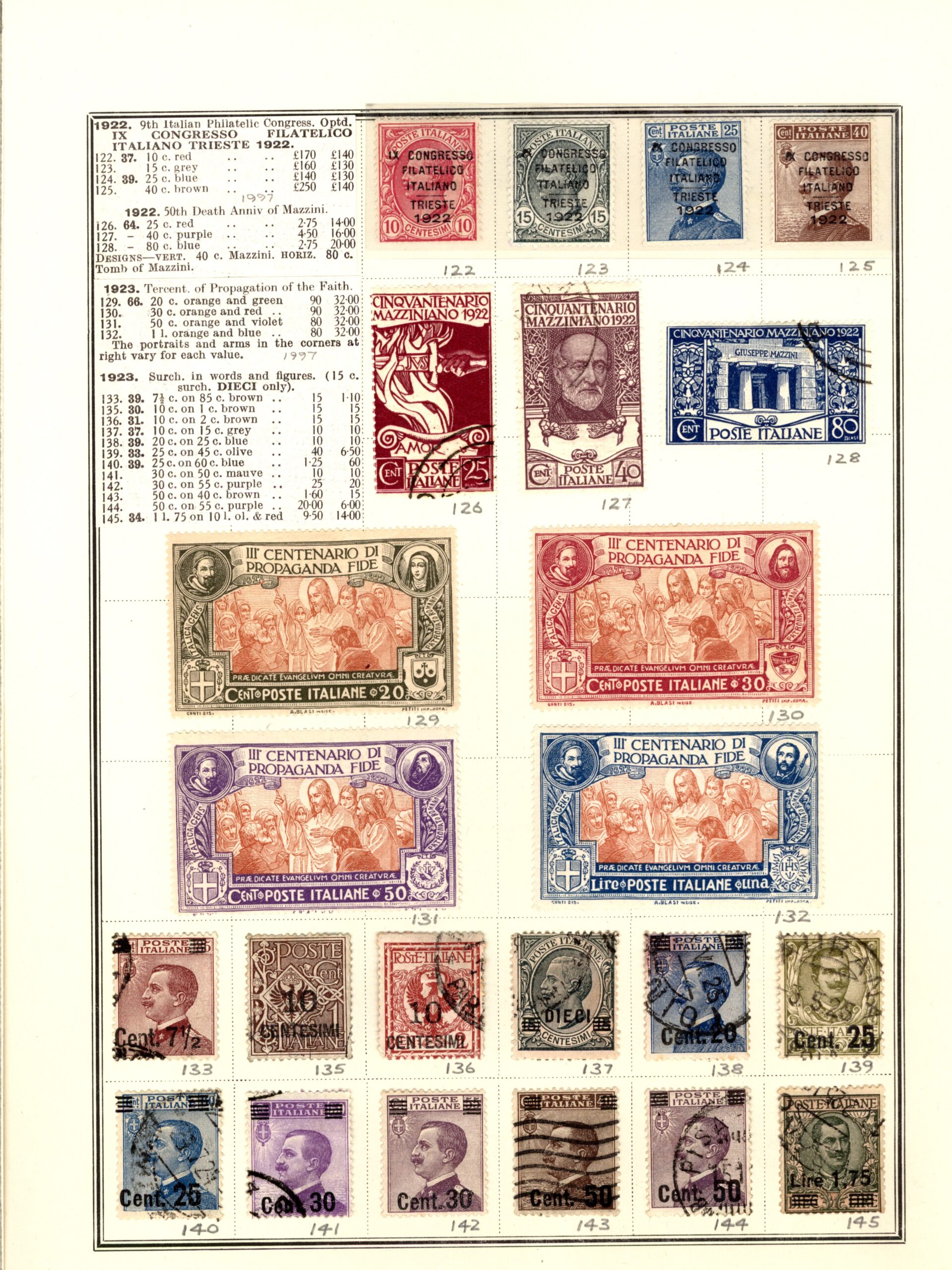
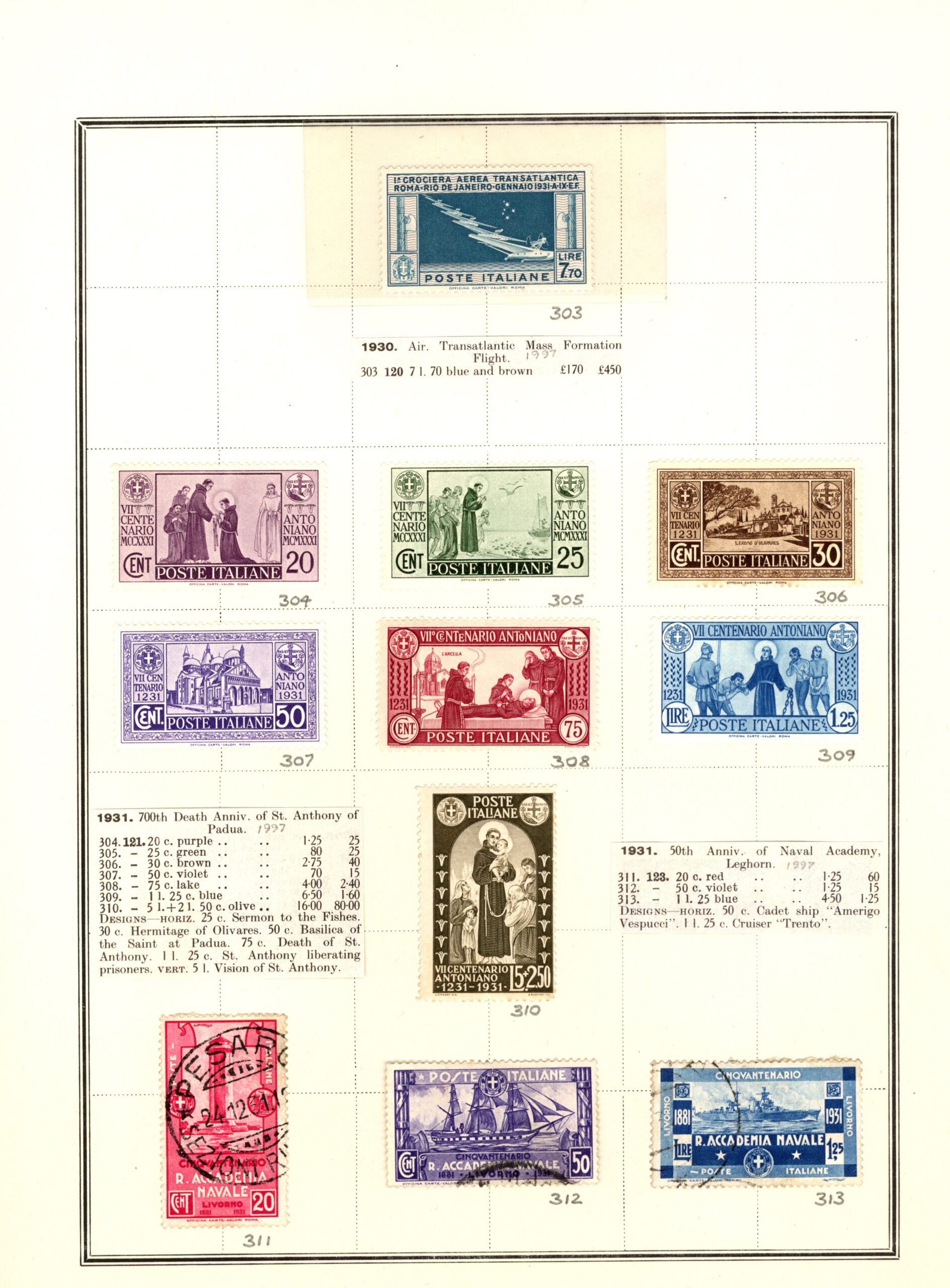
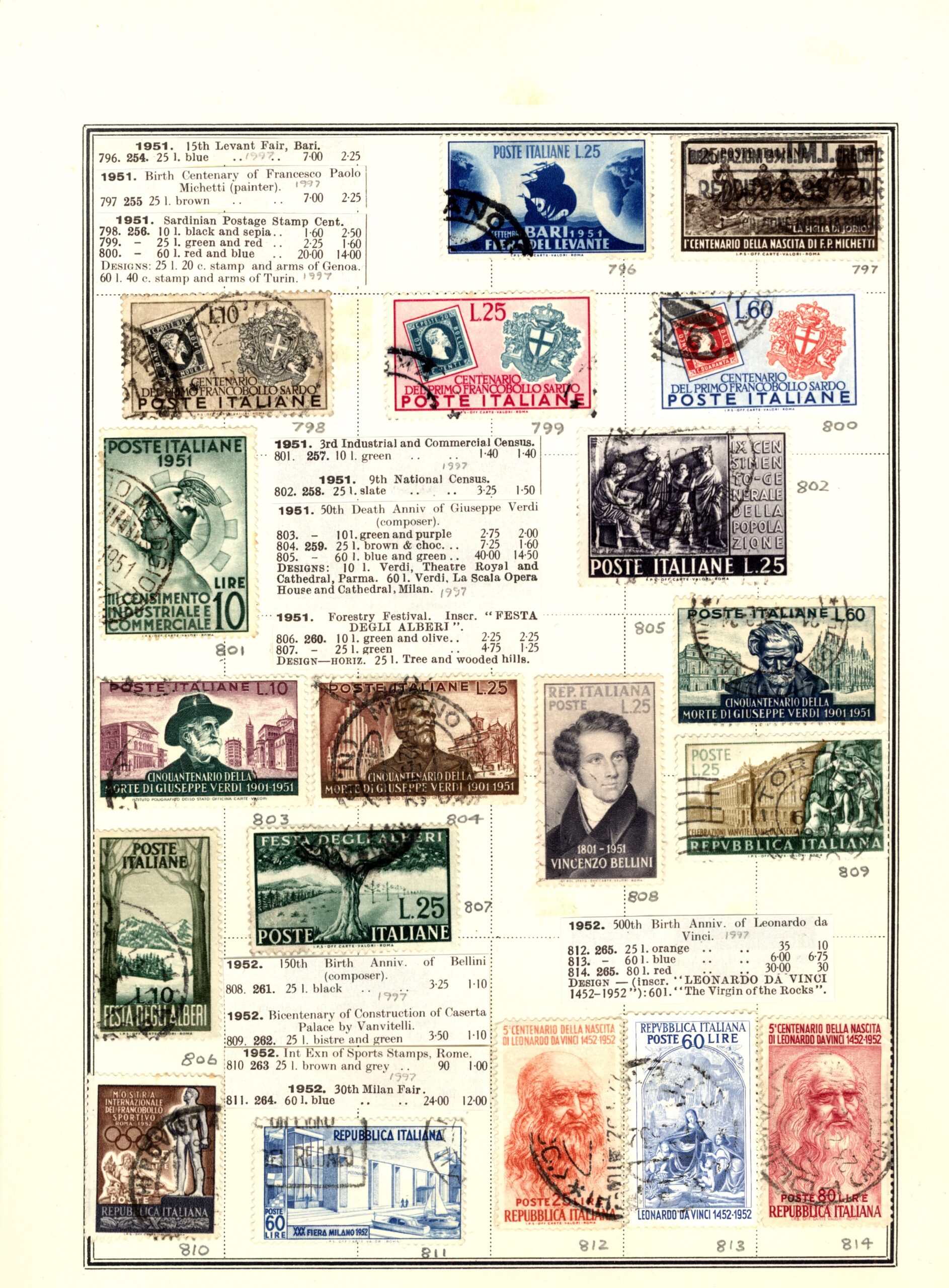
- Test 5 – describe and summarise the contents of all the images in three pages of Italy stamps which also include cutouts from the relevant parts of stamp catalogues.
- Test 6 – catalogue the contents of the three pages of Italy stamps images using the following fields: Reference Number, Country, Year, Value, Notes.
Tests of collections of objects in images
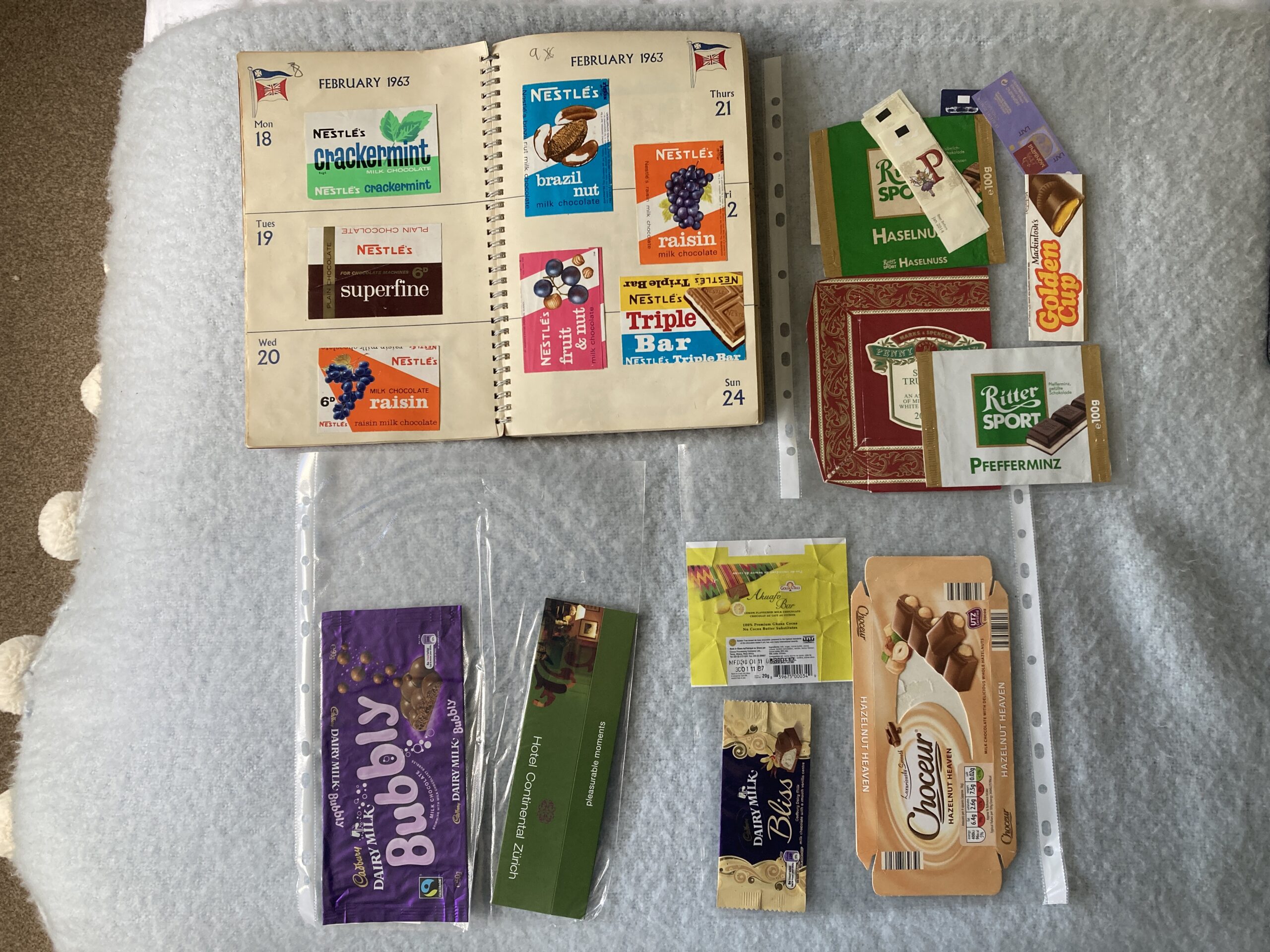
- Test 7 – describe and summarise the contents of all the images in three photos of chocolate wrappers, with each photo showing a) a double page of a chocolate wrapper scrapbook (in an unused 1967 A4 diary); and b) 3 plastic wallets containing loose wrappers.
- Test 8 – catalogue the contents of the three chocolate wrapper photos using the following fields: Reference Number, Name, Manufacturer, Type, and Size.
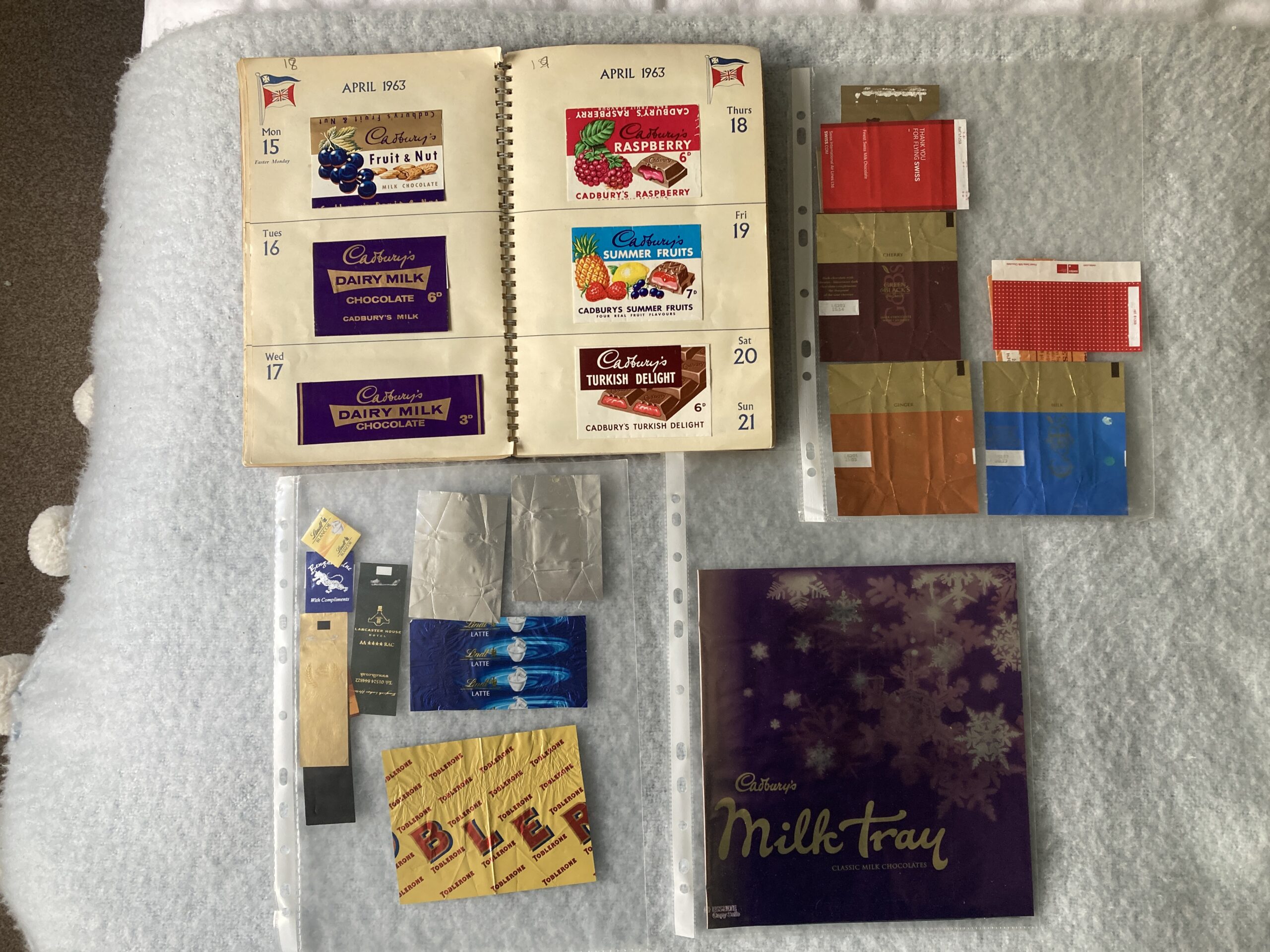
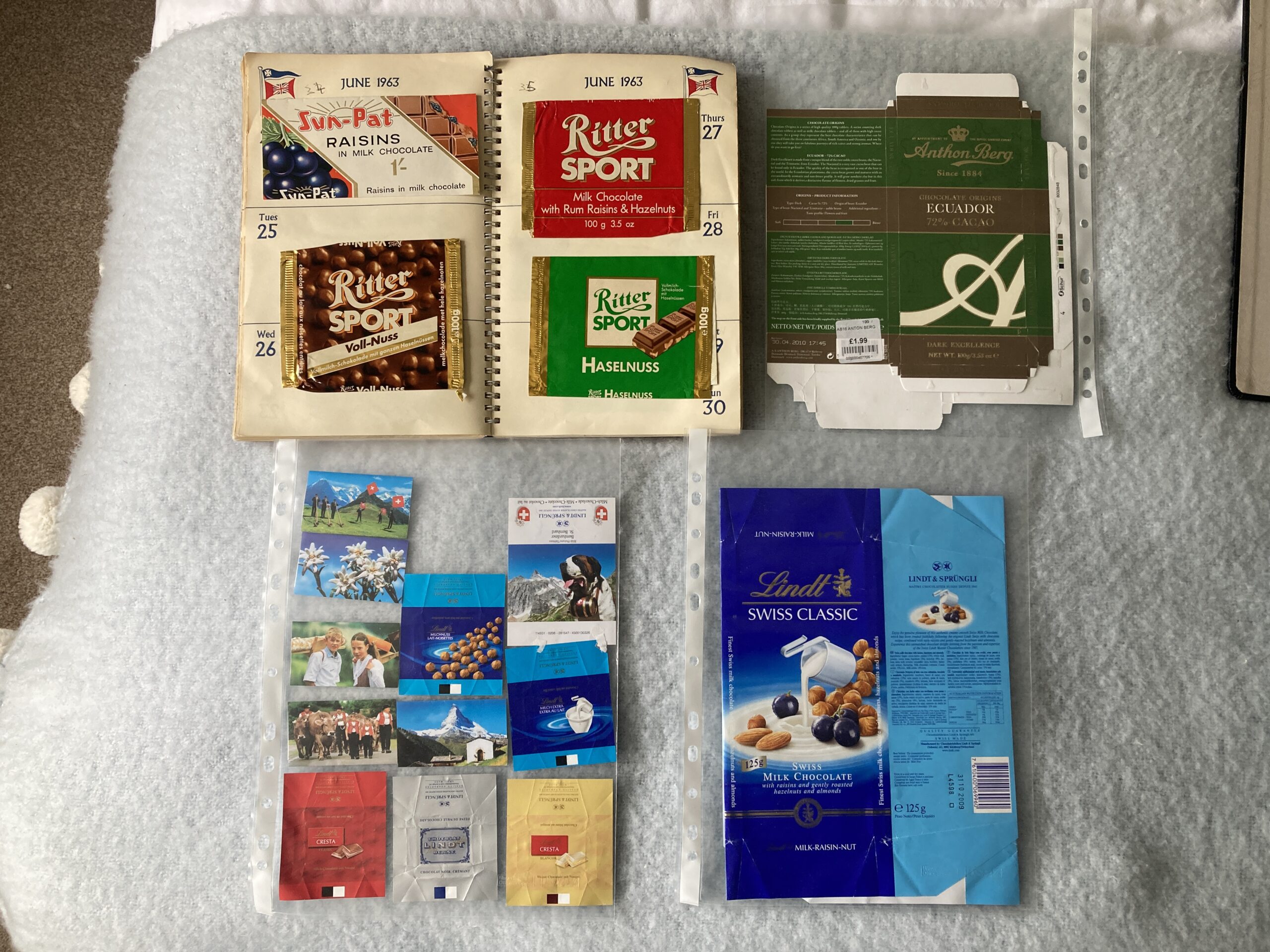
- Test 9 – describe and summarise the contents of three photos of household ornaments showing a) 10 pieces of Wedgewood, b) 30 small display items including porcelain (cups, saucers, plates, vases, jug, trinket boxes, flowers), glassware (bowl, vase, jug, flower, bird), stoneware (lighthouse, ashtrays, barometer), and wood (bowl, elephants); and c) 13 sundry items including silver trays, bowls, coasters and shoehorn; large shells, letter rack; pen holder; and decorative tray and plate.
- Test 10 – catalogue the contents of the household ornament photos using the following fields: Reference Number, Name, Type, Colour.
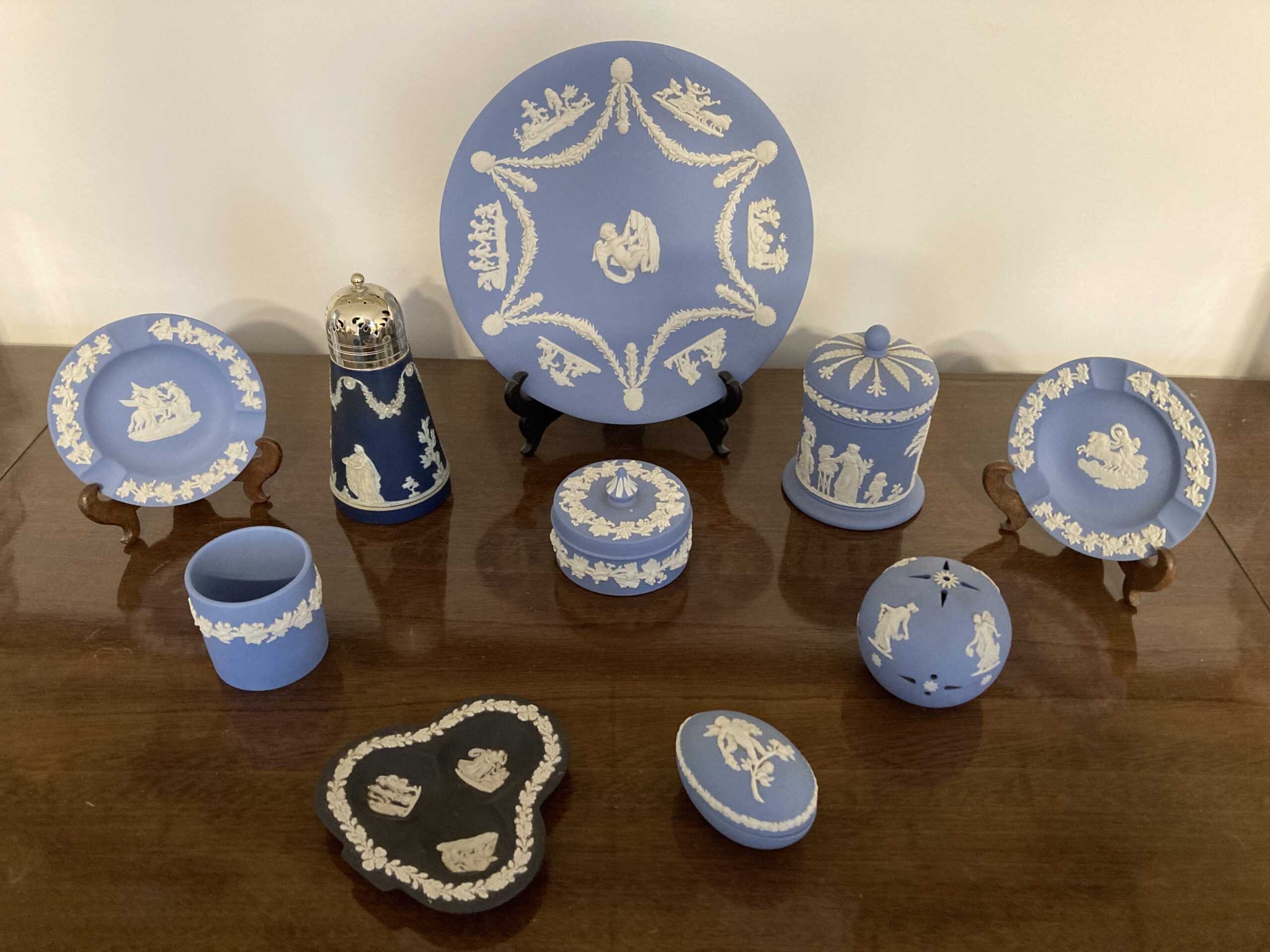
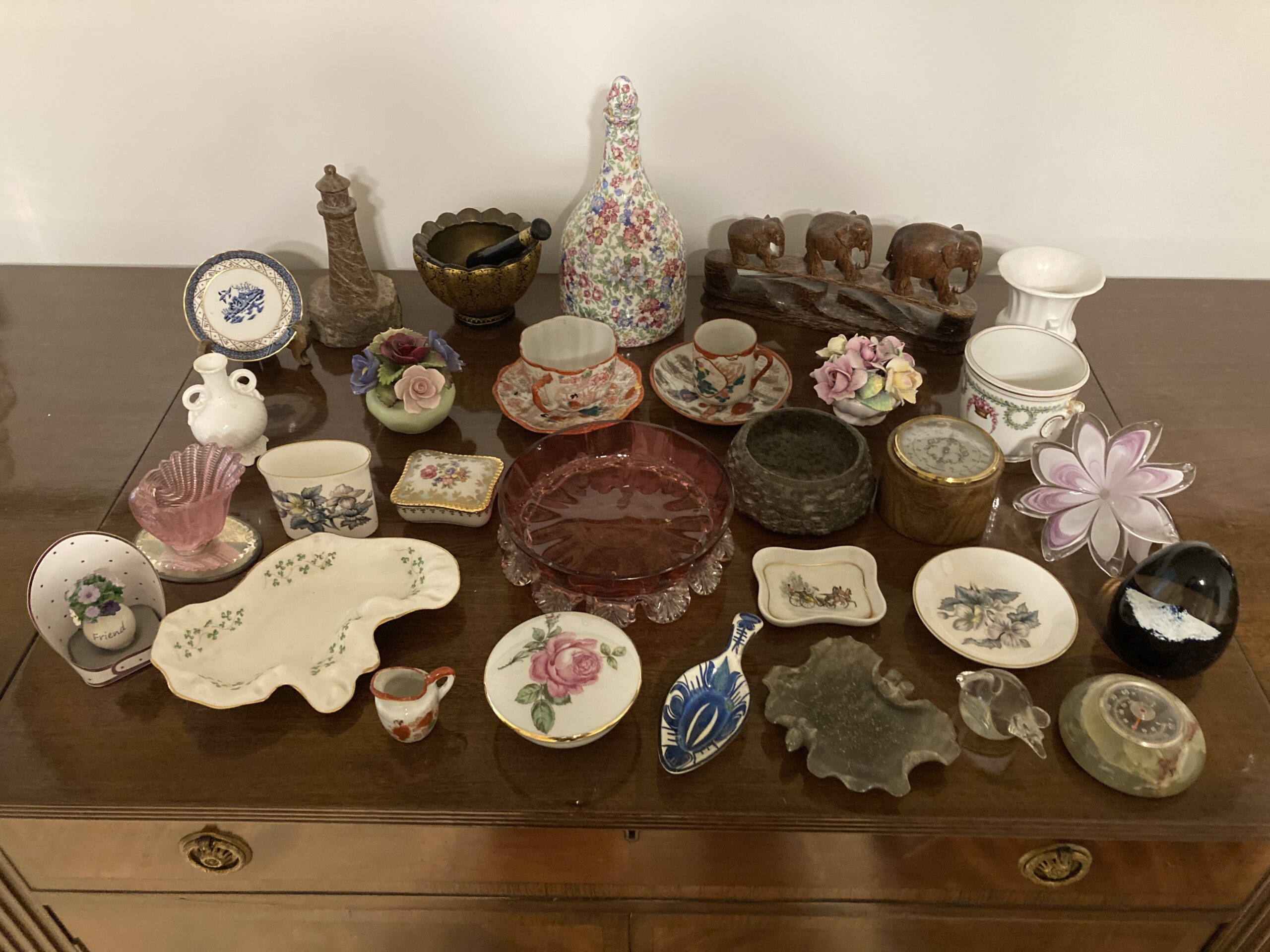
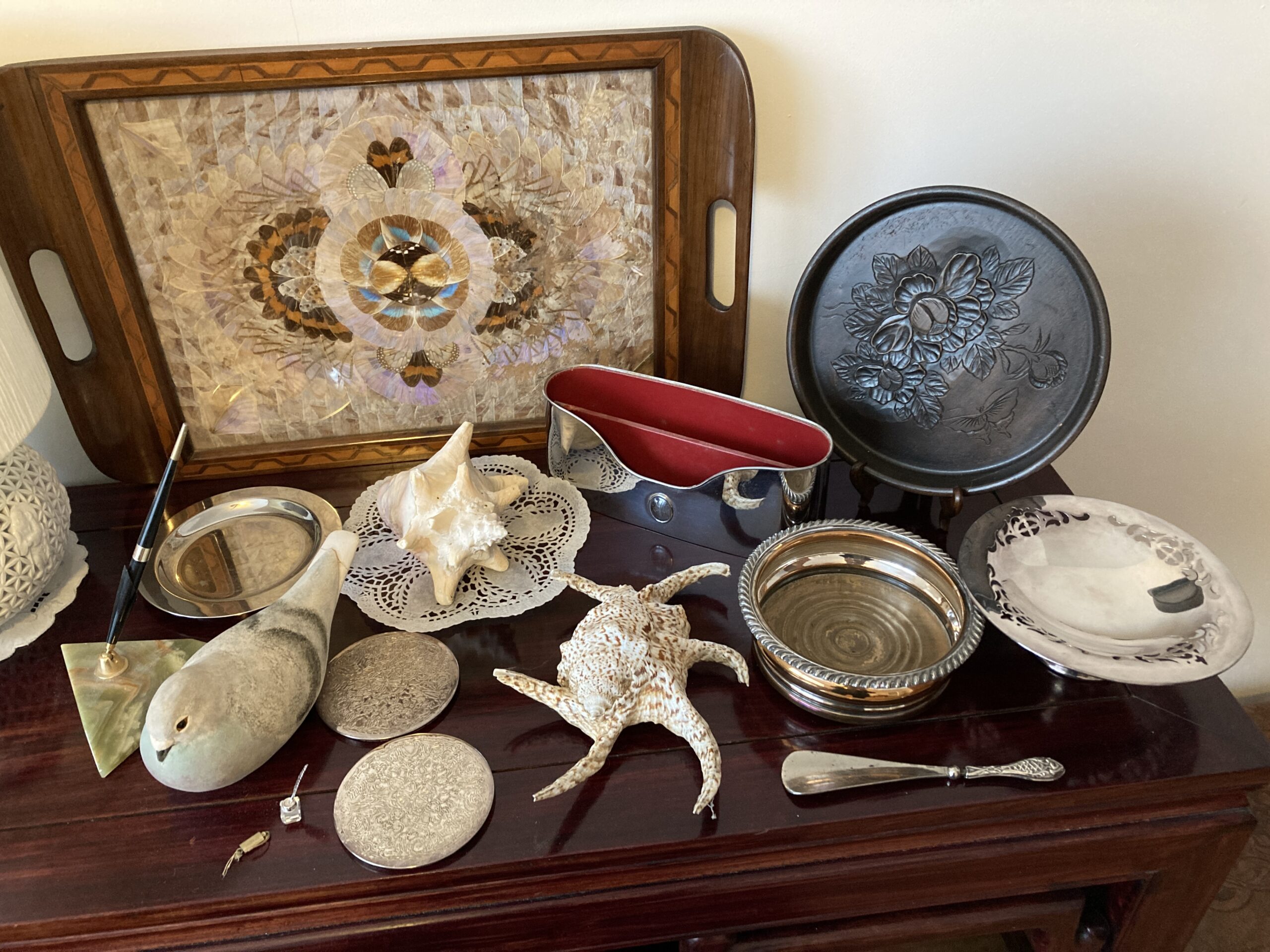
As may be apparent from the above descriptions, each test involved attaching three files to the AI Prompt together with a request, for example, “Using the three files I have just uploaded, catalogue the contents of the images using the following fields: Reference Number, Name, Type, Colour.”
All 10 tests were applied to the four AIs that had been used in the previous phase – AnythingLLM with Mistral, ChatGPT, Copilot and Claude. I did explore the possibility of using two other widely used products – Llama from Meta, and Gemini from Google. However, both require that you create an account before you can use them and I didn’t want to do that because, among other reasons, I’m trying to limit my exposure to data collection and advertising which are central to both of those organisation’s operations. Indeed, during the process of opening a Meta account, I was actually informed that I would be consenting to being shown adverts: I stopped at that point. So, for these tests I stuck with the four AIs previously mentioned. I have been using the free version of ChatGPT, Copilot and Claude up to now. However, when I started doing these tests ChatGPT suddenly changed the number of files it was allowing me to upload each day from 3 to 2. Since all the tests involve 3 files I elected to upgrade to ChatGPT-Go which enables you to “usually upload far more than the Free tier’s 3 files/day, but there is still a rate limit, and OpenAI hasn’t publicly stated the exact number.” The cost was £7 a month with the ability to cancel anytime. I encountered no limits when I was conducting these tests with the free versions of Copilot and Claude.
Before discussing the test results, its worth being clear about the image recognition and text-reading capabilities of the AIs concerned. First, Mistral is not capable of interpreting images so, unsurprisingly its results in these tests are very poor. However, I included it anyway just to see how it would react. Second, ChatGPT, Copilot and Claude (like most other Large Language Models) don’t apply separate conventional OCR (Optical Character Recognition) techniques to interpret text in scans, photos or other images. Instead, they undertake text recognition as part of their general image understanding capabilities which includes the combined assessment of visual patterns, language, spatial relationships, and context. Consequently, their text recognition capabilities often depend on the type and volume of training data they have been given. As ChatGPT put it: The image recognition capabilities of AI models “are deeply dependent on the training data, but also on model design, compute scale, optimisation methods, and how visual and language information are combined during training.”
With this in mind, we can now consider the results of the 10 tests. Each individual test was evaluated in two ways: first, I looked at the answer provided and wrote a short paragraph reflecting what I thought about it; and, second, I awarded a score out of 10 according to what I’d written. As is obvious, this is a completely subjective, and a potentially highly inaccurate, process. However, it does have the advantage that it uses a single observer with a consistent mind-set. Hopefully, that consistency will be reflected throughout all the results.
All the evaluation paragraphs and scores for all four AIs are included in this word document. However, I also produced an overall summary paragraph, and overall average score, for each AI, and these are provided below. They are accompanied by an equivalent paragraph produced by ChatGPT after it was provided with each AIs detailed paragraphs and scores for each test.
| AI (Overall Average Score) | Human Overall evaluation | ChatGPT’s overall evaluation |
| Anything LLM (1.3) | Mistral made it clear in the later tests that it is unable to interpret images. Given this fact it is odd that for two of the questions concerning images it gave answers that were completely nonsensical (circuit boards for stamps; and a photo of ‘a person wearing a white lab coat’) – it could have just said it couldn’t interpret the images. Regarding scanned text, Mistral was able to interpret both the scanned typed text and the scans of tickets – however sometimes incorrectly and sometimes hallucinating parts of the resulting answer. Whatever answers were provided by Mistral, were typically very brief and lacking in supporting material. | Across the 10 tests, Mistral demonstrated consistently weak performance, particularly when interpreting images and scanned documents. In six image-based tests involving ornaments, chocolate wrappers and stamps, the AI failed completely, often producing wildly inaccurate descriptions such as circuit boards, robots or software code instead of the actual subjects shown. These responses were considered entirely unusable and all received scores of zero. Performance improved only slightly when handling text-based or scanned documentary material. In the events and activities test, the AI identified a few correct details but omitted most of the content and introduced several errors, resulting in a middling score. Responses to the Friends of the Earth documents and the diary summaries were similarly superficial, inaccurate or overly narrow. Overall, the AI showed limited comprehension, poor contextual understanding and an inability to extract detailed or reliable information from uploaded materials, achieving an average score of just 1.3 out of 10. |
| ChatGPT (8.7) | ChatGPT gave a very good answer to the question in which text was provided in Word, but a little less so when assessing scanned typed text. It performed extremely well when assessing objects in images and in picking text out of those images, suggesting that it had been given some training data in the subjects covered (stamps, chocolate wrappers, and household goods). The one thing that wasn’t very helpful were the images which it displayed in answers to the image questions – they were not of items in the supplied images but items similar to those in the supplied images which was just generally confusing. Most answers were generally very clear and complete, and there were only a few errors. The catalogues it produced were clear and with good descriptive information. | Across the 10 tests, the AI demonstrated consistently strong performance in analysing, cataloguing, summarising, and interpreting a wide variety of uploaded documents and images. Scores ranged from 7.5 to 9.7 out of 10, with an overall average of approximately 8.7, indicating a high level of competence. The AI performed particularly well when extracting structured information from complex visual material such as stamp collections, chocolate wrappers, ornaments, and historical documents, often identifying nearly all relevant items and presenting the results clearly in tables or organised summaries. Its ability to read embedded text and recognise themes across multiple files was repeatedly praised. The main weaknesses noted were occasional omissions, minor reading inaccuracies, over-generalisation in crowded images, and the insertion of misleading illustrative images not present in the source material. Nevertheless, the tester consistently regarded the outputs as comprehensive, useful, readable, and well-structured overall. |
| Copilot (7.5) | Copilot produced excellent answers when reading from text in Word format – comprehensive, well structured, and insightful, with no noticeable errors. It was a little less competent when reading the scanned typed text. It read text in images without a problem – including vertical text. However, it performed less well when identifying objects in images – often missing out several items from both the descriptive text or grouping several items together; and the catalogue listings were similarly incomplete. This might relect a lack of training data in the areas concerned. | Across the 10 tests, the AI demonstrated strong overall performance, particularly in tasks involving summarisation, thematic interpretation, and extracting information from structured or semi-structured documents. Its best results came from diary summaries, document relationship analysis, and chronological event extraction, where it showed impressive comprehension, organisation, and the ability to interpret handwritten and vertically oriented text. Scores in these areas were consistently high, often above 9/10. Performance was more mixed when detailed cataloguing or precise item identification was required from complex or cluttered images. In several image-based catalogue tasks, the AI missed items, misinterpreted grouped objects, or introduced incorrect assumptions about how materials had been arranged or curated. Stamp and wrapper cataloguing proved especially challenging, with omissions and occasional transcription errors reducing reliability. Nevertheless, even weaker responses were generally well-presented and useful in part, indicating a capable system whose strengths lie more in synthesis and interpretation than exhaustive visual inventory work. |
| Claude (9.3) | Claude’s overall evaluation score of 9.3 reflects the fact that it performed extremely well in all but one of the tests. Its answers were comprehensive, full of detail and easy to read. It displayed competency in all four areas being tested – Word text, scanned typed text, text in images, and images of objects. Very few facts or items were missed. In one of the image files it identified the base of a lampstand from an image of just a small piece of its base. Its capabilities suggest it has had a broad range of training data. Its catalogue listings were good with two of the four being produced in a useful Excel format. The only thing that let it down was some numerical errors in the answer cataloguing household items: it incorrectly included the legend row and an empty base row in the total number of items it reported (i.e. it said there were 55 items instead of 53); and it reported that there were 17 items listed in the spreadsheet for image 3 whereas it had only actually listed 15 items in the spreadsheet. | Across the 10 tests, the AI demonstrated consistently high performance, achieving scores between 8.7 and 9.9 out of 10, with an overall average of approximately 9.3. Its strongest capabilities were in extracting, cataloguing, and summarising information from complex images and scanned documents, often identifying nearly every visible item and adding insightful contextual observations. The AI showed particular skill in recognising handwritten text, interpreting historical or archival material, and producing structured outputs such as Excel spreadsheets. Reviewers repeatedly praised the clarity, comprehensiveness, and readability of the responses, as well as the AI’s ability to infer broader themes and relationships across documents. Minor weaknesses included occasional misidentifications of objects, over-interpretation of details, and small numerical inconsistencies in summaries or item counts. Nevertheless, these errors were generally isolated and did not significantly detract from the overall quality. The results indicate an AI with excellent analytical and descriptive abilities across diverse document and image-processing tasks. |
Claude comes out a clear winner in these tests, with ChatGPT coming in second. Copilot, while performing excellently with text, appears to have had less relevant image training. At a general level, however, the results illustrate very clearly that AIs can work extremely well with both text and images; and could be very useful to collectors in identifying items, describing them, cataloguing them, and creating indexes for them.
For completeness, below records the breakdown of the time I spent on Phase 3 and across all phases.
| Activity | No of Tasks or task breakdown | Elapsed time | Time spent |
| Phase 1 | 70 | 43 days | 105 hrs |
| Phase 2 | 8 | 4 days | 11 hrs |
| Phase 3 | · Create test files · Research & drafting pwofc.com post |
3 days 4 days |
15 hrs 12 hrs |
| Totals | 80 | 54 days | 143 hrs |